
UGC Hooks for SaaS and Apps: 45 Templates for TikTok, Reels and LinkedIn (2026)
UGC hooks that sell SaaS and B2B apps: 'this app literally does X', 'if you're tired of manually doing X', and 40 more templates, plus the demo structure behind them.


The UGC hooks that sell SaaS and apps in 2026 sound like a person telling a friend about a tool, not a company announcing a feature: "This is crazy, so this app…", "This app literally does X", "If you're tired of manually doing X…". They work because they name a specific job in the first two seconds and put the product on screen right after, which is exactly what someone scrolling past an ad needs to decide whether to keep watching.
Below are 45 templates grouped by type, the structure that turns a hook into a full video, and what changes when the same clip goes to LinkedIn.
Why "this app" hooks work for SaaS
B2B and SaaS products have a hook problem: the buyer is a tiny share of any audience, and the product is usually invisible (it's software). UGC-style hooks solve both:
- They lead with the job, not the category. "This app writes my meeting notes" is understood by everyone. "AI-powered meeting intelligence" is understood by nobody in two seconds.
- They sound native. A creator talking to camera reads as a post, not an ad, so fewer people swipe on reflex.
- They promise a demo. "This app literally does X" sets up the next three seconds: show it doing X.
Ad platforms and UGC agencies consistently put the decision window at about two seconds on TikTok, so the hook has to name the result before the viewer has time to scroll.
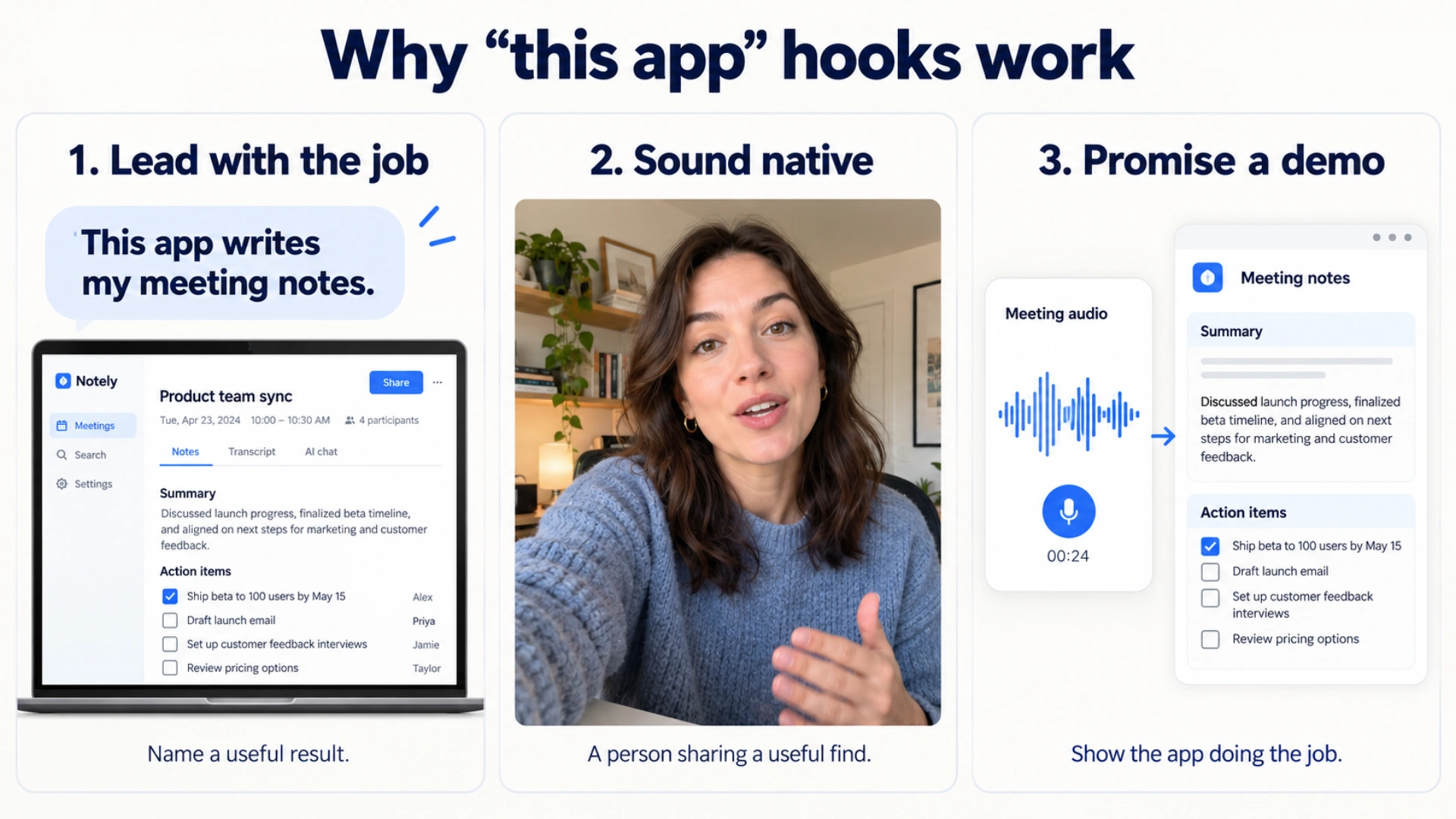
Illustrative mockups: name the job, let a person introduce it naturally, then show the app doing it.
UGC hooks for apps: the "this app" formula
These are the core templates. Swap in your product's single most visible result.
Discovery hooks
- "This is crazy, so this app [does the thing you hate doing]."
- "Okay, this is actually crazy. This app [result] in [time]."
- "I can't believe nobody told me about this app."
- "I just found the app that [replaces the tool everyone complains about]."
- "This app should honestly be illegal for [job title]s."
- "Why is nobody talking about this app?"
"This app literally does X" hooks
- "This app literally does [task] for you."
- "This app literally turns [input] into [output]."
- "This app literally [finishes a 2-hour task] while I make coffee."
- "This app literally reads [document type] so you don't have to."
- "This app literally does my [weekly report / invoicing / scheduling]."
- "This app literally edits my videos for me." (Show the before and after in the next three seconds.)
Pain hooks: "If you're tired of manually doing X"
- "If you're tired of manually [copying data between tools], watch this."
- "If you're tired of manually [chasing invoices], this app does it for you."
- "If you're still doing [task] by hand in 2026, stop."
- "If [task] takes you more than ten minutes, you're doing it the hard way."
- "If you hate [tedious task], this is for you."
- "If your team spends Friday afternoons on [task], show them this."
Money and time hooks: "If you want to save more money…"
- "If you want to save more money, then stop paying for [three tools] and use this."
- "If you want to save more money on [software category], watch this."
- "I cancelled [expensive tool] and this app does the same thing for [price]."
- "This app saved me [hours] last week. Here's how."
- "If you want your evenings back, this app does [task] for you."
- "I was paying [amount] a month for this before I found this app."
Only use a money or time figure you can back up. If it's a personal result, say it's yours.
Comparison and replacement hooks
- "I replaced [well-known tool] with this, and here's why."
- "[Popular tool] vs this app: same job, a third of the clicks."
- "Stop using [tool] for [task]. Use this instead."
- "Everyone uses [tool] for this. This app does it in one step."
POV and reaction hooks
- "POV: you just found an app that does your [task] for you."
- "POV: your boss thinks you spent all day on this report."
- "Me pretending I didn't just automate my whole job."
- "Watching this app [do task] never gets old."
Proof and demo hooks
- "Here's the actual setup, on screen, no edits."
- "Watch me [finish task] in under 60 seconds with this app."
- "This is what [task] looked like before. This is after."
- "I gave this app [messy input]. Look what came back."
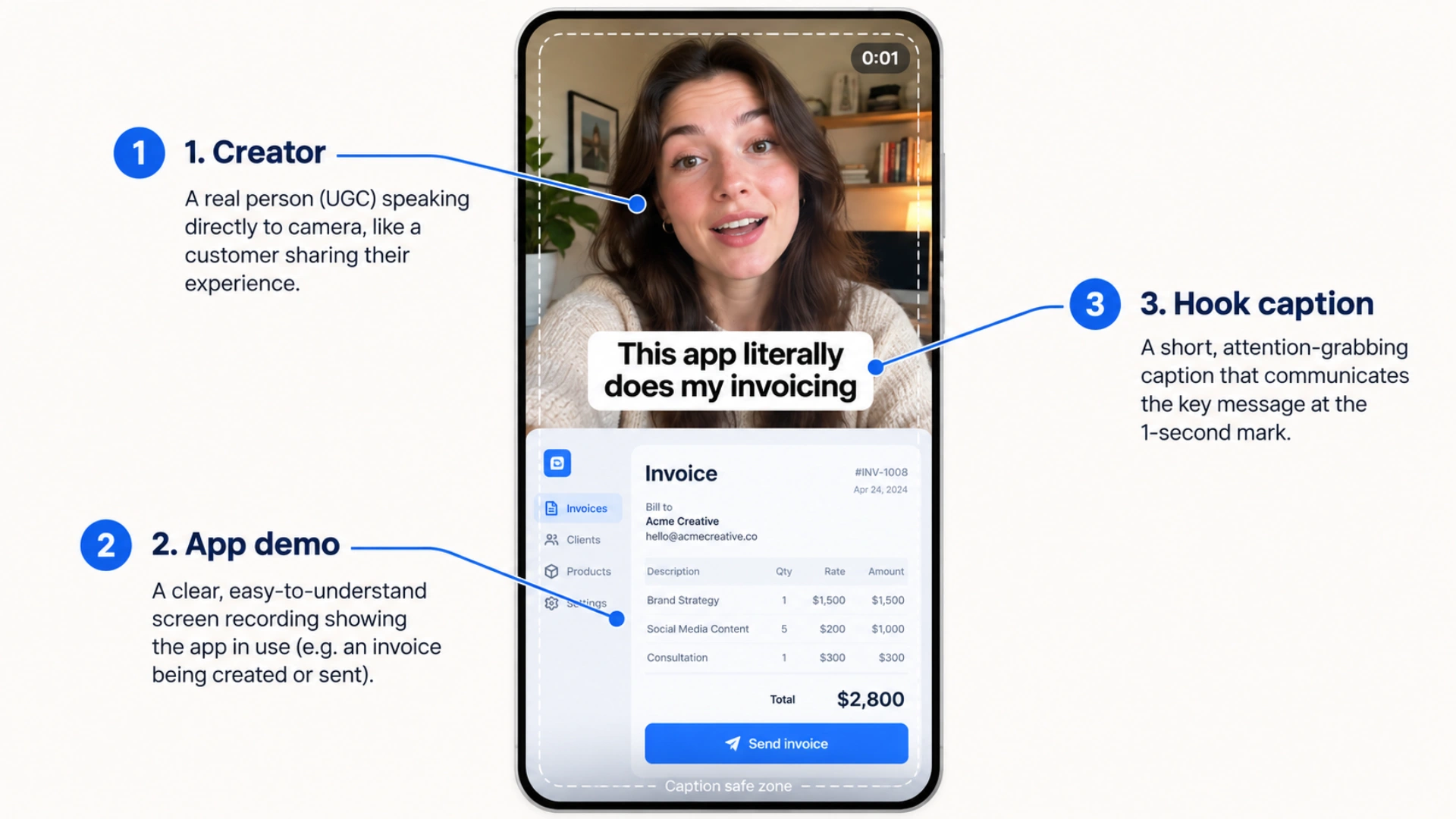
Illustrative ad mockup: the creator, app demo, and hook caption work together in the opening second.
B2B hooks for founders and marketers
Founder-led and expert content still works for higher-priced B2B products, where the buyer wants to trust the person before booking a demo.
- "Your [team] is spending six hours a week on something that should take twenty minutes."
- "Every company hits this exact wall at around [headcount]."
- "This is the most expensive spreadsheet in your company."
- "I looked at [number] onboarding flows. Most of them break in the same place."
- "This landing page converts at [X]%. Here's the part doing the work."
- "[Standard B2B advice] is advice for companies that already won."
- "We killed our [popular tactic] and pipeline went up."
- "We lost our biggest customer, and it was completely our fault."
- "The first version of this was a Google Sheet and forty manual emails."
Problem and teardown hooks reach the most people. Founder-story hooks reach fewer, but those viewers are much more likely to book a call.
The structure behind a UGC hook
A hook only earns the next three seconds. The rest of the video has to pay it off. Most UGC app ads that work follow the same five beats:
| Beat | Time | What happens |
|---|---|---|
| Hook | 0–2s | One sentence naming the result or the pain |
| Show it | 2–6s | The app on screen doing the thing, not a logo |
| One benefit | 6–20s | A single concrete outcome; skip the feature list |
| Proof | 20–35s | Your own result, a before/after, or a number you can back up |
| Call to action | Last 3–5s | "Link in bio", the app name, or "comment X" |
Two rules make the biggest difference:
- Get the product on screen within three seconds. "This app literally does X" followed by ten seconds of talking loses the viewer. Cut to the screen recording.
- One video, one job. A video that shows three features converts worse than three videos that each show one.
Practitioners who share results on forums like Indie Hackers describe a simple testing loop: pick one audience, rotate three formats (pain, quick result, live demo), and run them for 30 to 60 days before judging. Hooks are cheap to test because you can record one demo and swap only the first sentence.
Platform differences: TikTok, Reels and LinkedIn
Same recording, different first line.
TikTok: the broadest reach and the most tolerance for personality. "This is crazy, so this app…" and POV hooks fit naturally. Best for consumer and prosumer apps.
Instagram Reels: drives profile visits and DMs, which makes it strong for small B2B tools and agencies. Pain hooks and before/after demos work well.
LinkedIn: the buyer is there, but the audience is wary of hype. Drop "this is crazy" and state the result plainly: "This app writes our weekly client reports. Here's the setup." LinkedIn video autoplays muted, so captions aren't optional. See how to add captions to LinkedIn video.
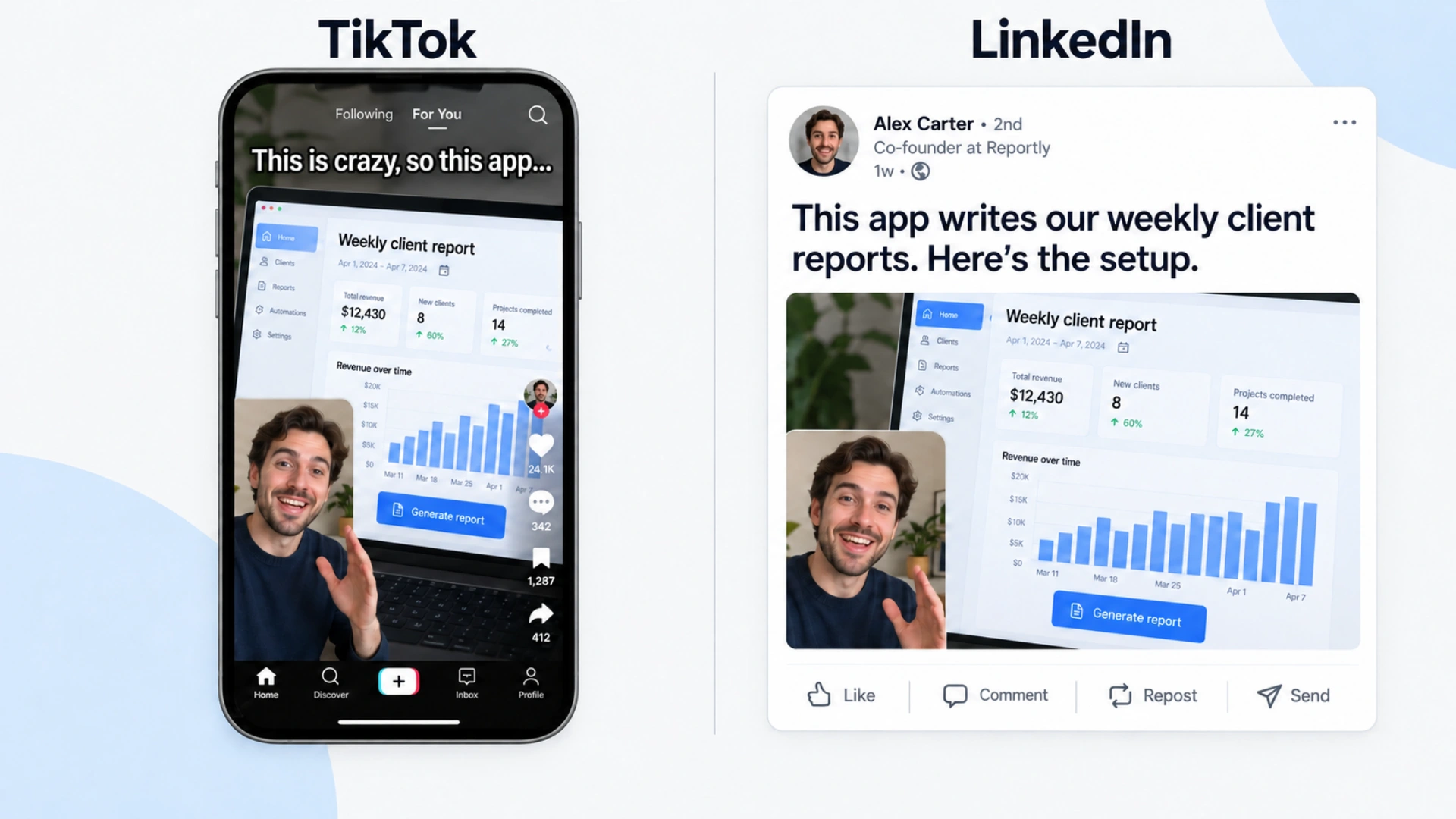
Illustrative platform mockups: the demo stays the same, while the opening changes for the audience.
Rules for UGC app ads
- Disclose paid UGC. If you paid a creator or gave them free access, the video needs a clear disclosure (#ad or the platform's branded-content label), not just a line buried in the caption.
- Keep claims true. "Saves 10 hours a week" needs to be a real, typical result. "Saved me 10 hours last week" is safer if it's one person's experience.
- Show the real product. Mockups and staged screens get called out in the comments, and comments are public.
- Caption everything. Most B2B viewing happens with the sound off, at a desk or on a commute.
What fails in SaaS short-form
Feature announcements. Nobody outside your company cares that you shipped something. Lead with the job it removes.
Jargon in the first sentence. If the hook needs your category's vocabulary, most of the audience is gone before the demo.
Logo intros. Two seconds of branding is two seconds without a hook.
Desktop screen recordings at full width. Unreadable on a phone. Zoom in on the part that matters or rebuild the frame vertically. See social video specs.
Frequently asked questions
What are UGC hooks?
UGC hooks are the opening lines of user-generated-style videos: a creator talking to camera as if recommending something to a friend. For apps, the most common pattern names the result directly: "This app literally does X."
Do UGC hooks work for B2B SaaS?
Yes, especially for self-serve and lower-priced tools, where a viewer can sign up after one video. For enterprise products, pair UGC-style demos with founder-led content on LinkedIn, where the buyer wants to trust the people behind the product.
How long should a UGC app ad be?
Usually 15 to 35 seconds: a two-second hook, a fast demo, one benefit, proof, and a call to action. Founder-led B2B explainers can run 45 to 90 seconds, because the viewer is there to understand something.
Should the founder or a creator be on camera?
For consumer-style apps, a creator often reads as more native. For B2B, the founder or a real user tends to be more convincing, because they can answer the obvious follow-up questions.
How many hooks should I test?
Record one demo, then test three to five different first lines on it. The demo stays the same, so any difference in watch time comes from the hook.
Record one demo, test five hooks. BlitzCut cuts the pauses and retakes out of a talking-to-camera take and captions it for muted viewing, so you can export the same demo with different opening lines in minutes. Available on iPhone, iPad, Mac, and Android.
Related: Best TikTok Hooks 2026 · How to Add Captions to LinkedIn Video · UGC video editor · Video Editing for Social Media Managers · How to Edit Talking-Head Videos Fast
Editing a talking-head video?
BlitzCut is available on Android, iPhone, iPad, and Mac. It is designed for recorded UGC-style videos, founder-led ads, tutorials, and testimonials and other talking-head content.
Try it for freeRelated Articles
Keep Reading

How to Add Captions to Instagram Reels (Automatically)
How to add captions to Instagram Reels: use the Captions sticker for free auto captions, or burn in styled word-by-word captions with Edits, CapCut, or BlitzCut. Steps for each.

How to Add Captions to a Podcast Video on Mac
How to add captions to a podcast video on Mac: burned-in captions for TikTok, Reels, and Shorts clips, and SRT subtitles for full YouTube episodes. Steps for BlitzCut, Descript, and Final Cut Pro.

How to Add Subtitles to a Video on Mac (Automatically)
How to add subtitles to a video on Mac automatically with Final Cut Pro, Premiere Pro, CapCut, or BlitzCut, plus a free method using MacWhisper and HandBrake. iMovie can't do it.