
Best YouTube Shorts Editor Apps (2026): 7 Options Compared
The best YouTube Shorts editor for your videos: YouTube's built-in editor, YouTube Create, BlitzCut, CapCut, InShot, VN, and Edits compared on features and price.


The best YouTube Shorts editor depends on what your Short needs: YouTube's built-in editor or YouTube Create for quick, free edits, BlitzCut for talking-head Shorts that need pauses cut and captions added, and CapCut for templates and effects. Shorts can now run up to three minutes, so the editor matters more than it used to; a longer Short with dead air or no captions loses viewers fast.
Disclosure: We make BlitzCut. Features and prices come from official pages, checked in October 2026.
Best YouTube Shorts editor apps at a glance
| Editor | Best for | Free? | Captions | Watch for |
|---|---|---|---|---|
| YouTube app (Shorts camera) | Quick edits right before posting | Free | Text overlays | Basic tools only |
| YouTube Create | Free mobile editing for YouTube | Free | Auto captions | Captions only for clips under 60 seconds |
| BlitzCut | Talking-head Shorts | 3-day trial | Animated, editable | Paid after trial |
| CapCut | Templates, effects, trends | Free tier | Auto captions | Some features need Pro |
| InShot | Quick social edits with AI Cut | Free with watermark | Auto captions | Watermark on free exports |
| VN | Free timeline editing | Free | On-device or cloud | Some tools need Pro |
| Edits | Instagram-first creators | Free | Yes | Built around Instagram |
YouTube's built-in Shorts editor
The editor inside the YouTube app handles trimming, reordering clips, timed text, music, and beat sync, which lines up your cuts with the rhythm of a track. Templates let you reuse another creator's format with your own clips.
At Made on YouTube 2026, YouTube announced a Gemini-powered editing assistant for Shorts and YouTube Create, where you describe changes like "trim the pauses" or "sync this to the music" instead of making each edit by hand. Some of these features are rolling out now; others are still tests or arrive in 2027.
Choose it for: a simple Short you'll post straight away.
YouTube Create: free editing made for Shorts
YouTube Create is Google's free editing app, with trimming, cropping, automatic captions, audio cleanup, background removal, beat matching, and royalty-free music. It came to iPhone in December 2025 (iPhone XR or later, iOS 17+, selected regions) after launching on Android.
Important limit: Google's help page says Create can't generate captions for clips longer than 60 seconds. Shorts can be up to three minutes, so longer Shorts need another caption tool.
BlitzCut: best for talking-head Shorts
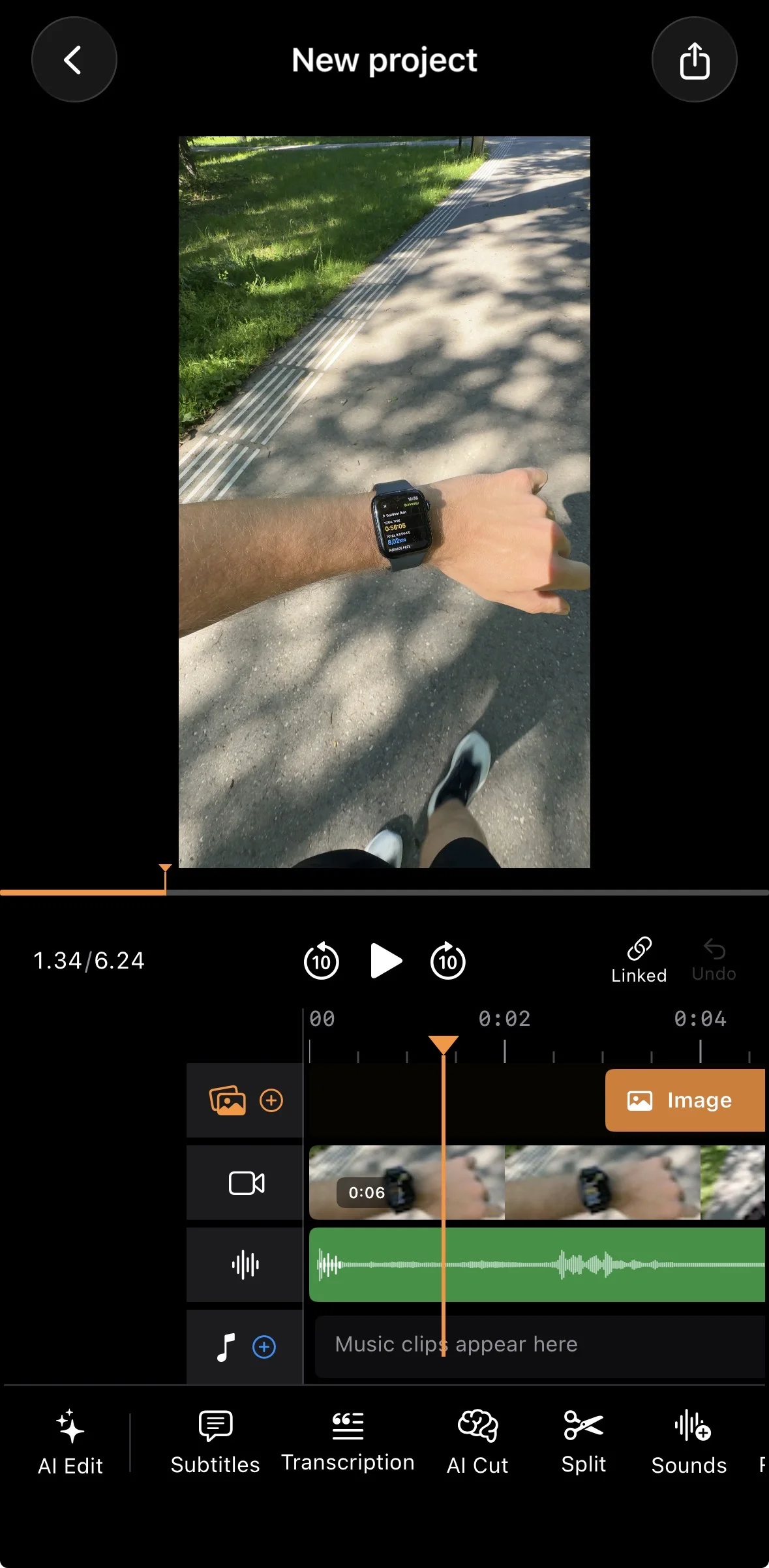
If your Shorts are you talking to the camera, most of the editing is removing pauses and retakes and adding captions. BlitzCut does that in one pass: it cuts the silences, lets you delete words from the transcript to cut them from the video, and adds animated captions. Then use the timeline for B-roll, overlays, and music.
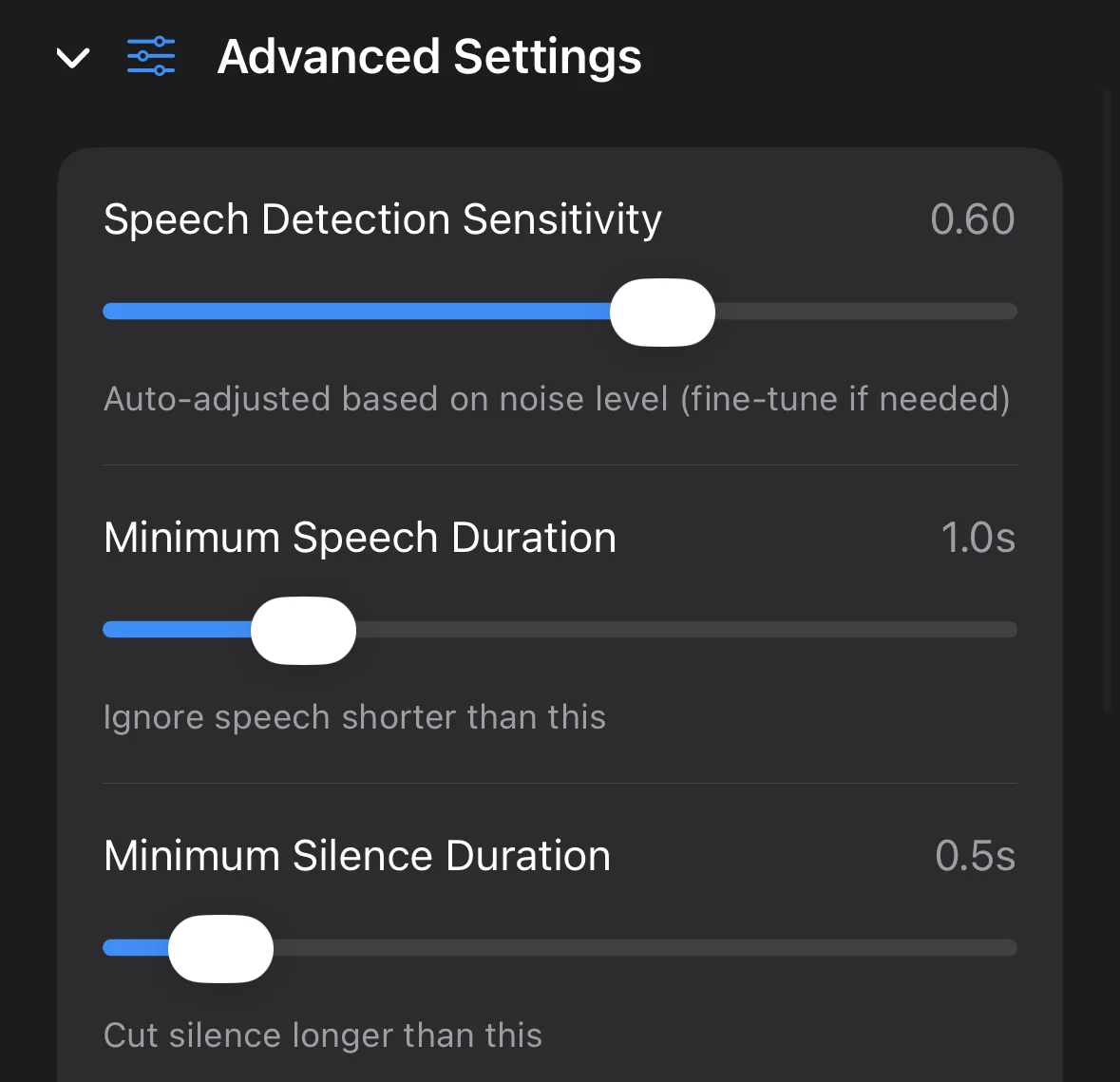
BlitzCut runs on iPhone, iPad, Mac, and Android. After a 3-day trial, plans on the US App Store are $6.99/week, $69.99/year, or $129.99 lifetime.
CapCut: best for templates and effects
CapCut is the go-to for trend-driven Shorts: templates, transitions, effects, auto captions, and background removal. Its mobile AutoCut trims silences, and its web transcript editor removes filler words. It's still available in the US, now run by a US joint venture.
Watch for: some caption styles and AI tools need Pro, which is priced by region and device. See BlitzCut vs CapCut.
InShot: quick edits with AI Cut
InShot's App Store listing includes auto captions and AI Cut, which removes silence, filler words, and breath sounds. It's a good all-rounder if you make both talking clips and montages. Free exports carry a watermark.
VN: a free timeline with on-device captions
VN gives you a full multi-track timeline for free, and generates captions either on the device with small local models or in the cloud with credits. See VN's caption guide. Choose it for visual Shorts built from many clips.
Edits: if Instagram is your main channel
Meta's Edits app is free, exports without a watermark, and added an AI assistant in 2026 that suggests hooks and ideas based on your Reels performance. You can post its exports to YouTube too.
How to edit YouTube Shorts: a quick workflow
- Film vertically (9:16), with your face in the upper half of the frame.
- Cut the pauses and retakes first. A tight first cut matters more than effects.
- Open with the point. The first two seconds decide whether viewers swipe.
- Add captions in the safe area, clear of YouTube's buttons and title. See safe zones.
- Add B-roll or text where you mention something you can show.
- Watch the export on your phone before posting.
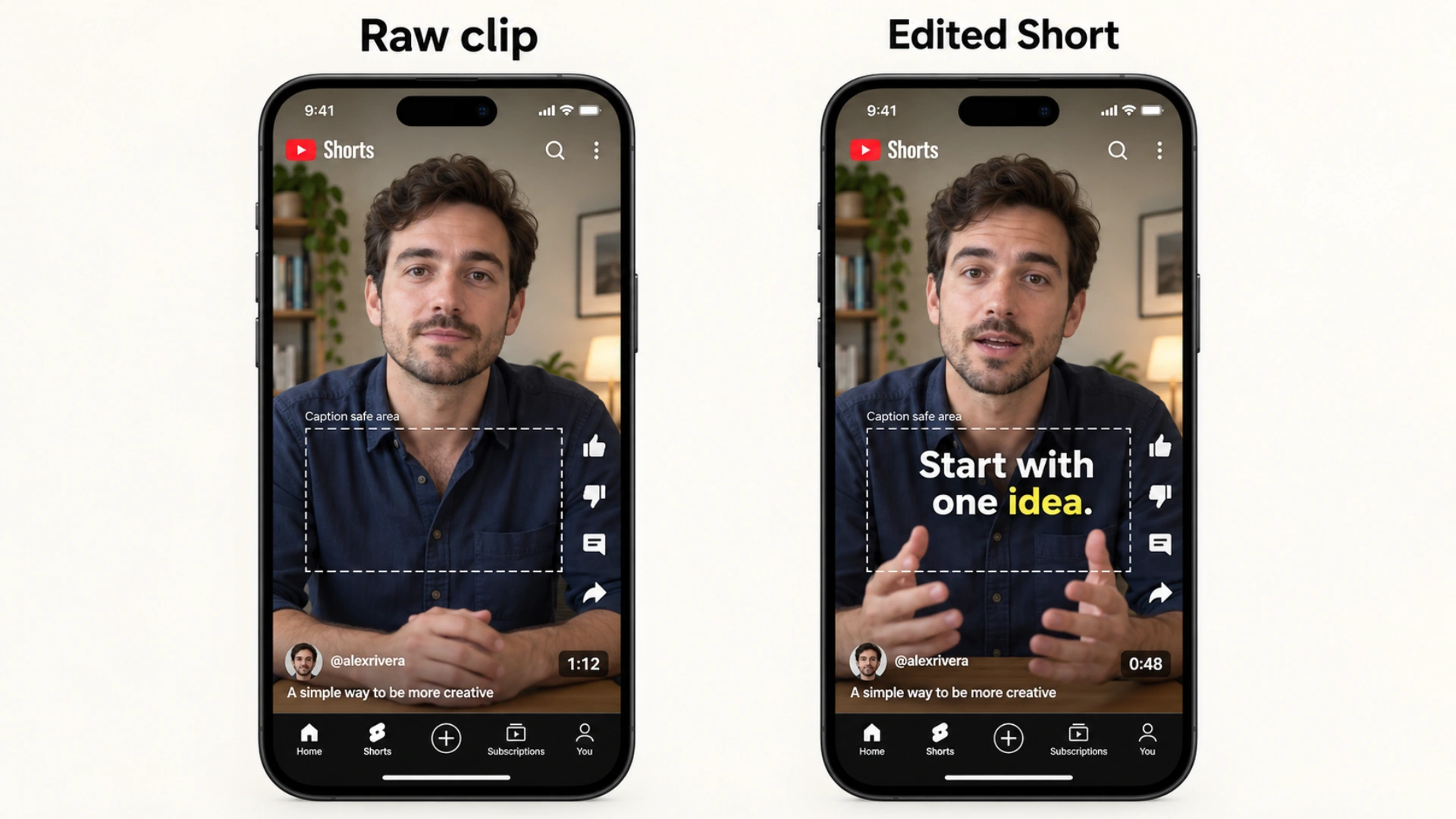
Player mockups with example runtimes; captions sit clear of the right-hand controls and lower player overlays.
Frequently asked questions
What is the best YouTube Shorts editor?
For talking-head Shorts, BlitzCut. For free editing, YouTube Create or the editor in the YouTube app. For templates and effects, CapCut.
Does YouTube have its own Shorts editor?
Yes. The YouTube app has a built-in Shorts editor, and YouTube Create is Google's separate free editing app for iPhone and Android.
How long can a YouTube Short be?
Up to three minutes for square or vertical videos. Note that YouTube Create's automatic captions only work on clips under 60 seconds.
What's the best free app to edit YouTube Shorts?
YouTube Create, CapCut's free tier, and VN are all free. Edits is free with watermark-free exports.
Related guides: YouTube Shorts length · Best caption apps for YouTube Shorts · YouTube Shorts: vertical or horizontal? · Best AI video editor · YouTube Shorts editing tips
Editing a talking-head video?
BlitzCut is available on Android, iPhone, iPad, and Mac. It is designed for recorded UGC-style videos, founder-led ads, tutorials, and testimonials and other talking-head content.
Try it for freeRelated Articles
Keep Reading

Best AI Clipping Tools (2026): Klap, OpusClip, Vizard and More Compared
Find the right AI clipping tool for podcasts, streams, and webinars. Klap, OpusClip, Vizard, Quso, and BlitzReels compared on price per clip, credits, and editing.

Best AI Video Editor for iPhone (2026): 8 Apps Compared
The best AI video editor for iPhone depends on your footage. BlitzCut, CapCut, Edits, Captions, Premiere, OpusClip, VN, and InShot compared on AI features and price.

Best AI Video Editor for Mac (2026): 6 Apps Compared
The best AI video editor for Mac: BlitzCut, Descript, CapCut, Final Cut Pro, Premiere Pro, and DaVinci Resolve compared on AI features, what runs on your Mac, and price.