
Best AI Video Editor for iPhone (2026): 8 Apps Compared
The best AI video editor for iPhone depends on your footage. BlitzCut, CapCut, Edits, Captions, Premiere, OpusClip, VN, and InShot compared on AI features and price.


The best AI video editor for iPhone depends on the footage you start with: BlitzCut for cleaning up and captioning videos of you talking, CapCut for effects and templates, Edits for Instagram-first creators, and OpusClip for cutting long recordings into clips. "AI" means something different in each app, from removing silence to suggesting hooks to generating an avatar, so this comparison groups them by the job you actually need done.
Disclosure: BlitzCut is our app. Features and prices come from each app's official pages and App Store listings, checked in October 2026.
Best AI video editor for iPhone: quick picks
| App | Best for | Main AI features | Price |
|---|---|---|---|
| BlitzCut | Talking-head videos, UGC ads, tutorials | Silence removal, transcript editing, animated captions, AI chat edits | 3-day trial, then from $6.99/week or $69.99/year |
| CapCut | Effects, templates, trends | Auto captions, AutoCut, background removal, AI effects | Free; Pro varies by region |
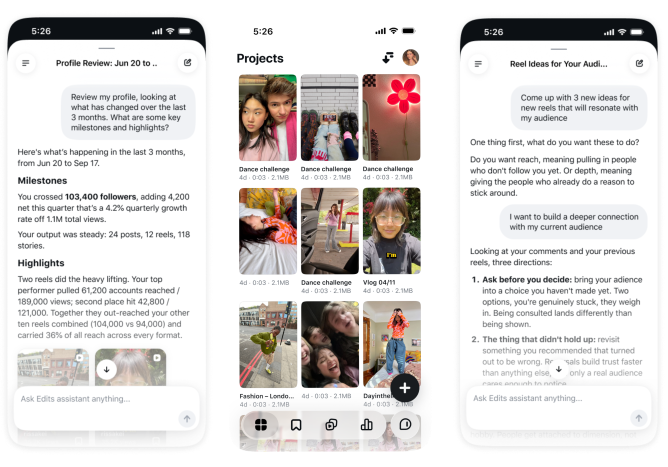
| Edits | Instagram Reels creators | AI assistant for hooks and ideas, AI fonts, Restyle | Free |
| Captions | Captioned talking videos and AI avatars | Captions, eye contact, pause trimming, avatars, dubbing | Credit-based plans |
| Adobe Premiere mobile | Free multi-track editing | Auto captions, generative tools (credits) | Free core editing |
| OpusClip | Clips from long videos | AI clip selection, reframing, captions | Free plan; paid from $15/month |
| VN | Free timeline editing | On-device or cloud captions, filler-word detection (Pro) | Free; optional Pro |
| InShot | Quick social edits | Auto captions, AI Cut for silence and filler words | Free with watermark; Pro |
BlitzCut: best for videos of you talking
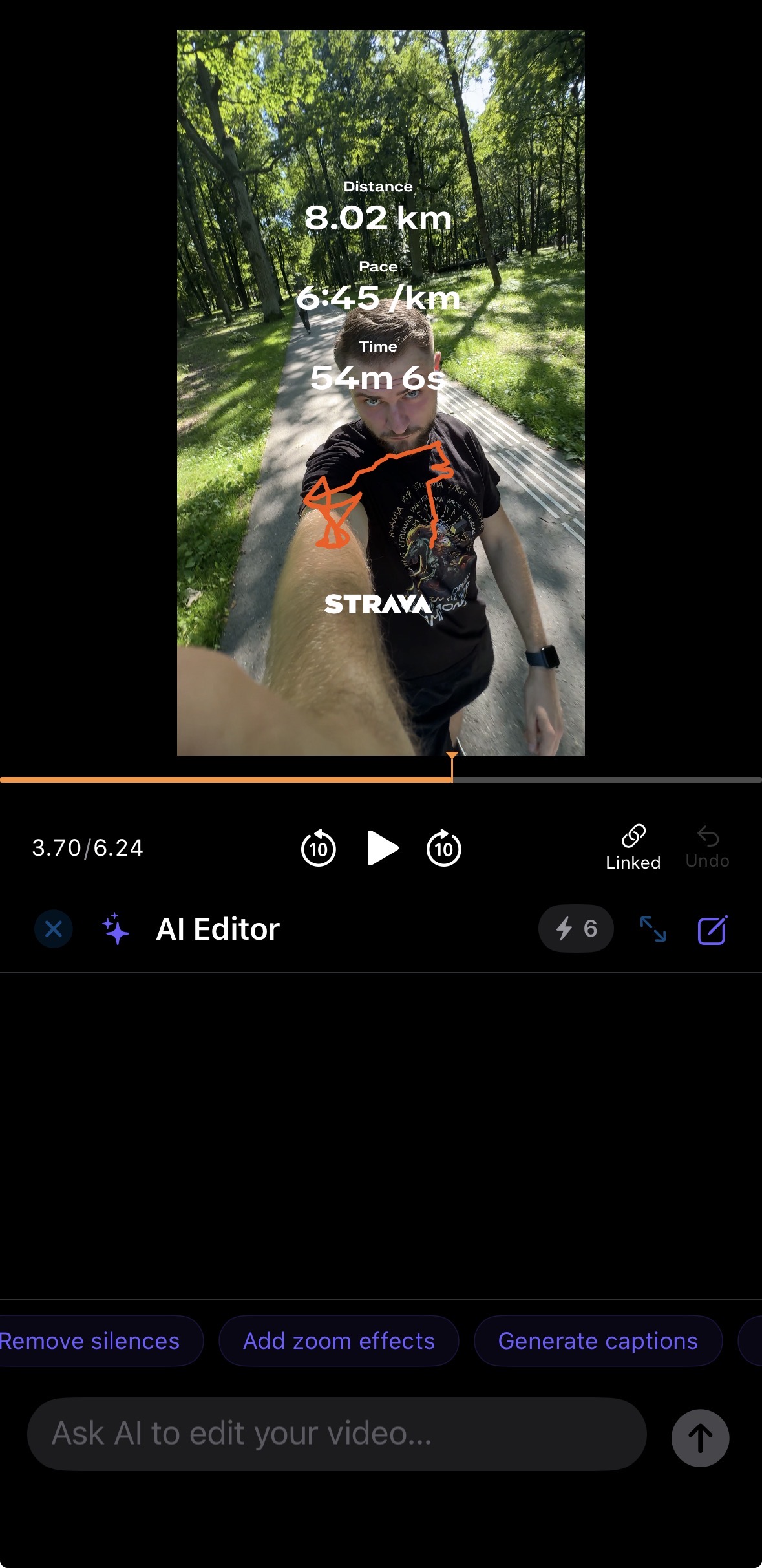
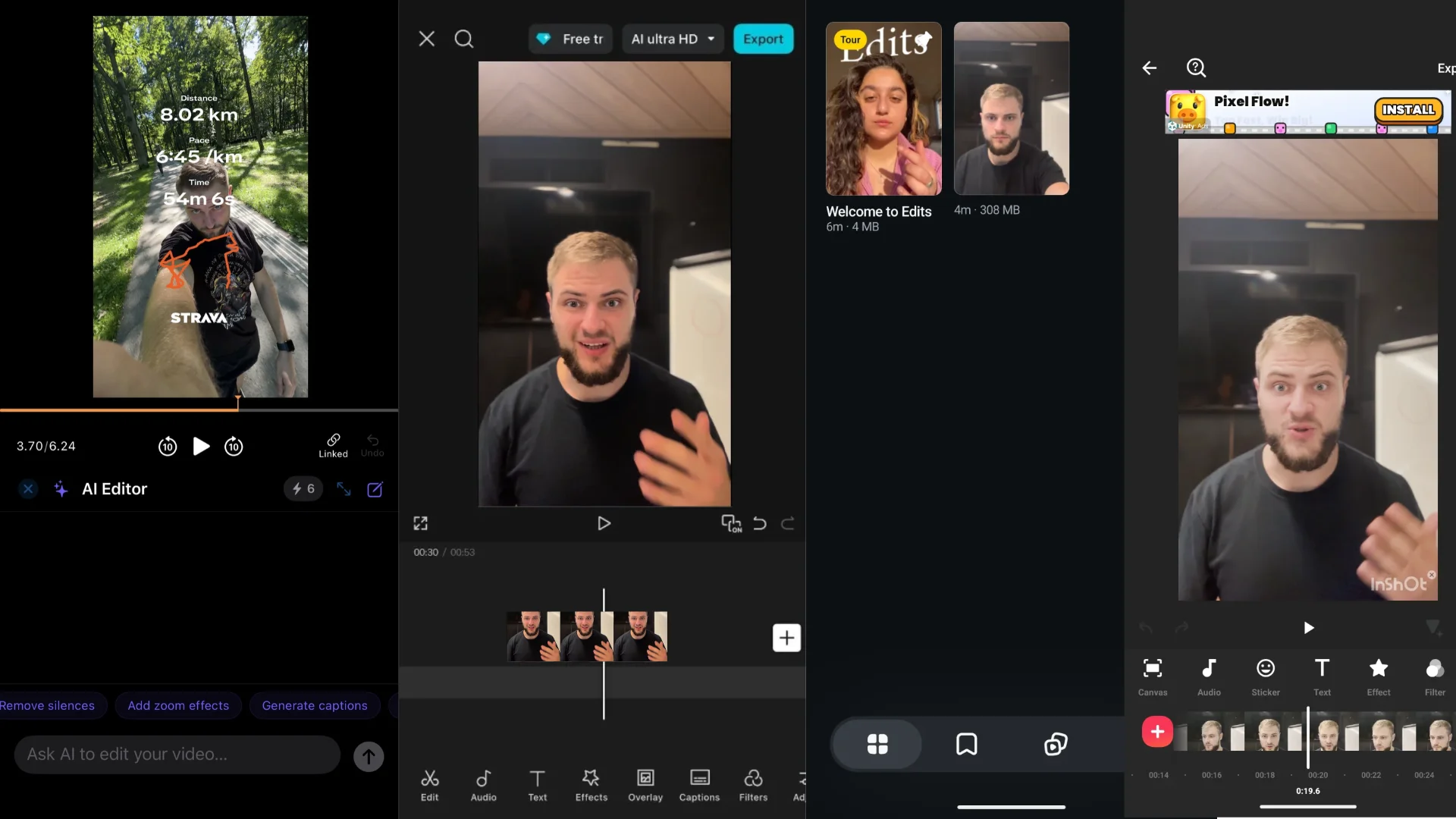
BlitzCut is built for one kind of footage: a person talking to the camera. Import a clip and it removes the silences, transcribes the speech, and lets you cut by deleting words from the transcript. Then it adds word-by-word animated captions, all on the phone you filmed with.
Its AI Editor accepts requests in plain language, like "remove the silences and add zooms on the key points", and the timeline is still there for manual trims, overlays, music, and B-roll.
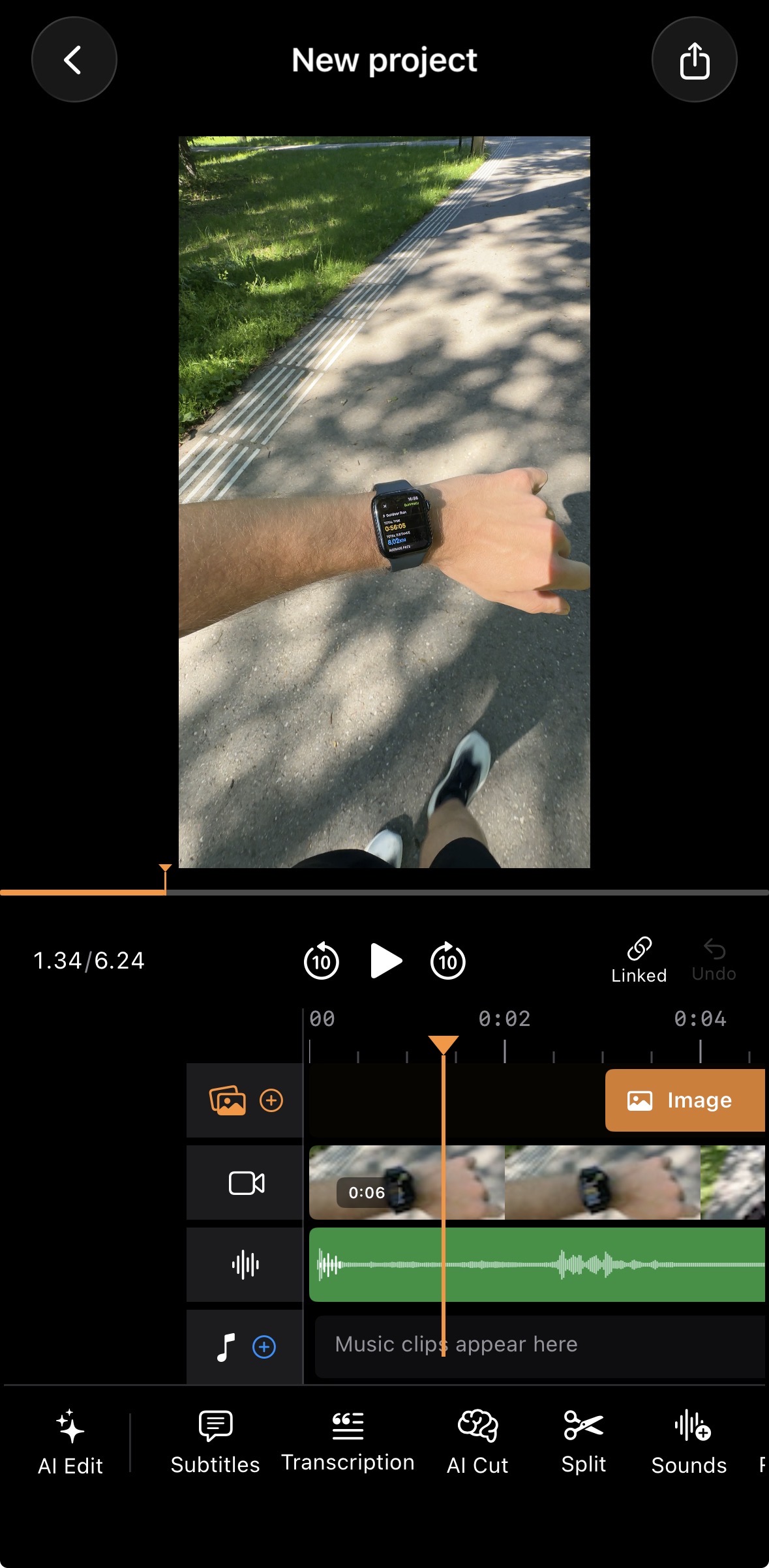
Choose it for: founder videos, UGC-style ads, tutorials, and testimonials where the speaker is the content.
Exports: up to the original resolution with HDR preserved, so footage shot in HDR on a recent iPhone keeps its brightness and color range, with no watermark.
Skip it if: your video is built from many shots with transitions and effects; CapCut fits that better.
Price: free to download with a 3-day trial. On the US App Store, plans are $6.99/week, $69.99/year, or $129.99 lifetime, covering iPhone, iPad, and Mac. It's also on Android, and a subscription bought on blitzcutai.com/pricing works on both.
CapCut: best for effects and templates
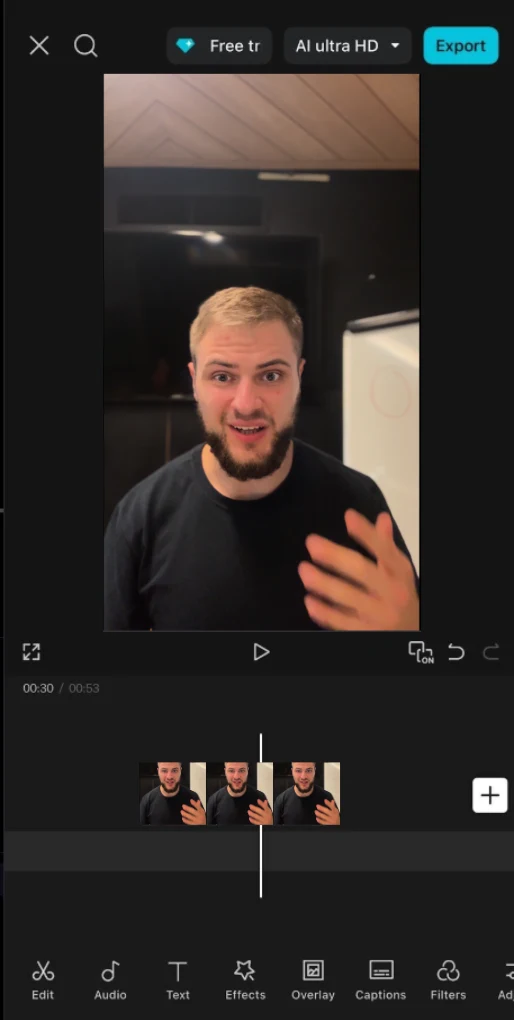
CapCut is the default editor for trend-driven TikToks: templates, transitions, effects, auto captions, and background removal. Its mobile AutoCut feature trims silences, and the web editor can remove speech gaps from a transcript, so it can clean up talking footage too, though it takes more taps than a dedicated tool.
Choose it for: videos where the look and the arrangement of several clips matter more than cleaning up one talking take.
Watch for: which AI tools need Pro. CapCut says pricing varies by region and device.
Edits: best for Instagram-first creators
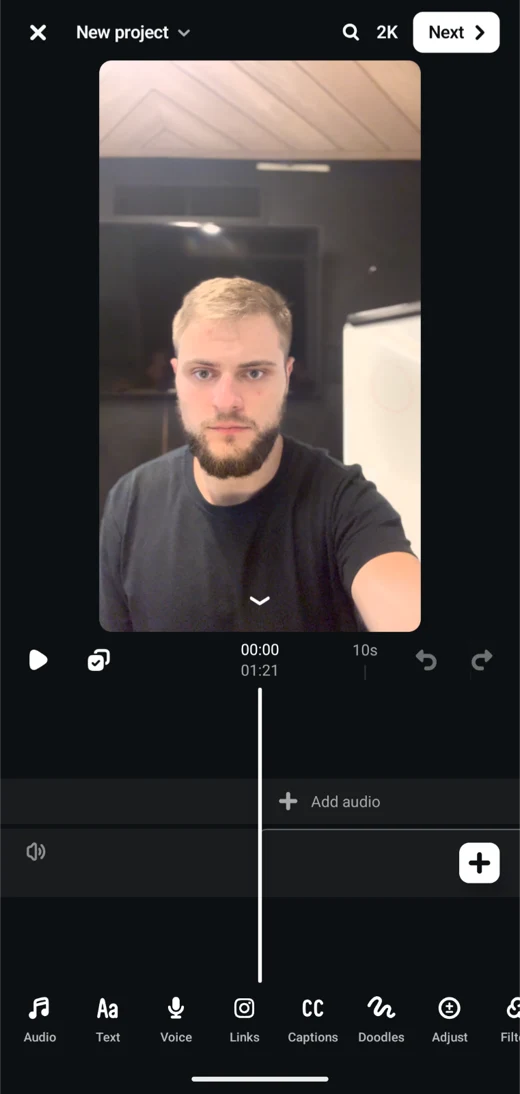
Meta's Edits app has grown quickly since its 2025 launch. In 2026 it added an AI assistant that suggests concepts, hooks, and captions based on how your past Reels performed, AI-generated font styles, a Restyle tool that changes a clip's look, and exports up to 15 minutes. Exports go up to 4K at 60fps with HDR and have no watermark, and you can post them anywhere, not only Instagram.
Choose it for: creators whose main channel is Instagram and who want performance-based suggestions next to the editor.
Watch for: new Edits features roll out gradually, so check that a feature has reached your account before planning around it.
Captions: best for captions plus AI avatars and dubbing
Captions started as a captioning app and now covers styled subtitles, eye-contact correction, pause trimming, AI avatars, and dubbing. It works in the browser as well as on iPhone.
Choose it for: a brief that includes a generated presenter or translated versions of a video.
Watch for: the credit-based plans. Check which features use credits on Captions' pricing page before committing.
Adobe Premiere mobile: best free multi-track editor
Premiere on iPhone offers free core editing, automatic captions, and watermark-free exports up to 4K. Generative Firefly tools use credits, and continuing a project on desktop needs a desktop Premiere subscription. See Adobe's product page.
Choose it for: building an edit yourself from several layers without paying.
OpusClip: best for clips from long recordings
OpusClip's iPhone app finds the best moments in a long video, reframes them vertically, and captions them. The free plan watermarks captions and keeps exports for three days; Starter costs $15/month and Pro $29/month.
Choose it for: podcasts, livestreams, and webinars where finding the clip is the hard part. If you recorded a short video on purpose, there's nothing for it to find. See our AI clipping tools comparison.
VN: best free timeline with on-device captions
VN generates captions on the device with small local models, or in the cloud with credits; cloud mode adds filler-word detection on Pro. See VN's caption guide.
Choose it for: a free, capable timeline editor when you want captions without uploading audio.
InShot: best for quick social edits
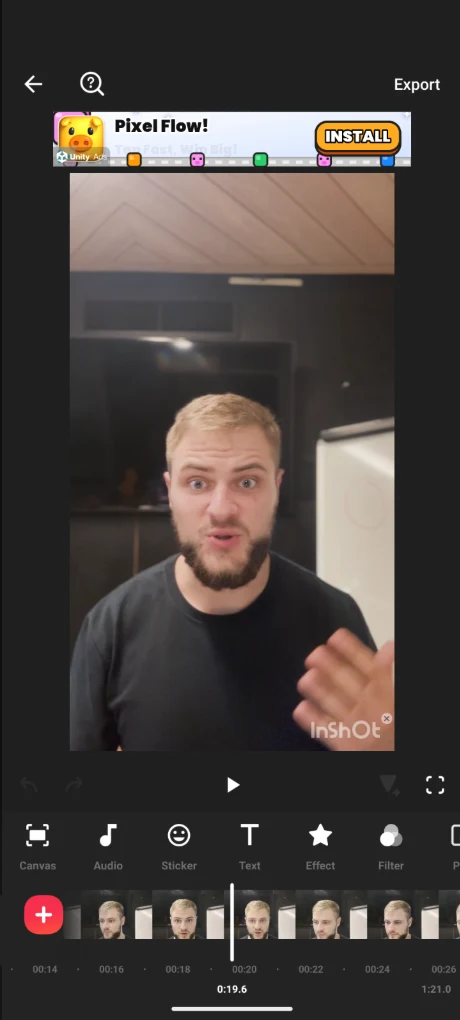
InShot's App Store listing now includes auto captions and AI Cut, which removes silence, filler words, and breath sounds. See the InShot listing.
Choose it for: if InShot is already your editor, try AI Cut before adding another app.
Watch for: InShot doesn't document HDR export. If you film in HDR (the iPhone default since the iPhone 12), export a test clip and check that it keeps its brightness and color before editing a whole project in it.
Best AI video editing app for your situation
- You film yourself talking every day: BlitzCut.
- You make trend-based, effect-heavy TikToks: CapCut.
- Instagram is your main channel: Edits.
- You need a generated presenter or dubbing: Captions.
- You want a free multi-track editor: Premiere mobile or VN.
- You repurpose podcasts or streams: OpusClip.
- You already use InShot: try its AI Cut first.
How to compare two finalists
Edit the same clip in both: one with a brand name, a mistake you correct, a deliberate pause, and a cutaway. Finish the edit, fix every caption, and export. Compare how long it took to get a result you'd post, not how long the AI took to run. Then check the details that cost time later: wrong names in captions, clipped word endings, and watermarks.
Frequently asked questions
What is the best AI video editor for iPhone?
For videos of you talking, BlitzCut, because it removes silence, edits from the transcript, and captions in one app. For effects and templates, CapCut. For Instagram-first creators, Edits.
Is there a free AI video editor for iPhone?
Edits, Premiere mobile, VN, and CapCut all have free tiers with AI features. Premiere mobile exports without a watermark up to 4K; generative tools use paid credits. BlitzCut offers a 3-day free trial.
Can AI edit a video automatically on iPhone?
It can automate specific jobs: removing silences, captioning, suggesting clips, or applying an edit you describe. You still need to check names in the captions, cut points, and the final export.
Which iPhone video editors support HDR?
BlitzCut exports with HDR preserved, Edits exports HDR up to 4K at 60fps, and VN's App Store listing says it edits and shares Dolby Vision HDR video on iPhone 12 and newer. InShot doesn't document HDR export, so test a clip first if your footage is HDR.
Which iPhone AI video editor removes silence?
BlitzCut, InShot (AI Cut), and CapCut (AutoCut) remove silence on iPhone. See the best app to remove silence from video.
Related: Video editor for iPhone · AI video editor · Best free iPhone video editors · Caption apps for iPhone · Captions vs BlitzCut · BlitzCut vs OpusClip
Editing a talking-head video?
BlitzCut is available on Android, iPhone, iPad, and Mac. It is designed for recorded UGC-style videos, founder-led ads, tutorials, and testimonials and other talking-head content.
Try it for freeRelated Articles
Keep Reading

Best AI Clipping Tools (2026): Klap, OpusClip, Vizard and More Compared
Find the right AI clipping tool for podcasts, streams, and webinars. Klap, OpusClip, Vizard, Quso, and BlitzReels compared on price per clip, credits, and editing.

Best AI Video Editor for Mac (2026): 6 Apps Compared
The best AI video editor for Mac: BlitzCut, Descript, CapCut, Final Cut Pro, Premiere Pro, and DaVinci Resolve compared on AI features, what runs on your Mac, and price.

Best AI Video Editor in 2026: 8 Picks by Use Case
The best AI video editor for Reels, YouTube, podcasts, and mobile: BlitzCut, CapCut, Descript, OpusClip, VEED, Premiere, YouTube Create, and Resolve compared on features and price.