
Best AI Video Editor in 2026: 8 Picks by Use Case
The best AI video editor for Reels, YouTube, podcasts, and mobile: BlitzCut, CapCut, Descript, OpusClip, VEED, Premiere, YouTube Create, and Resolve compared on features and price.


The best AI video editor depends on what you need to finish: BlitzCut for talking-head videos, CapCut for effects-led Reels, Descript for editing podcasts and YouTube videos by transcript, and OpusClip for turning long recordings into short clips. For other jobs, VEED handles subtitles in the browser, Adobe Premiere mobile gives you a free timeline on your phone, YouTube Create covers simple Shorts, and DaVinci Resolve Studio is for professional finishing.
The useful question isn't which app has the most AI features. It's which one removes the slowest part of your workflow without creating a new problem at export.
Disclosure: We make BlitzCut. Features and prices come from each vendor's official pages, checked in October 2026, in US dollars. Regional offers and taxes can change the price you see.
Best AI video editor: quick comparison
| Editor | Best for | Where it works | Price and main catch |
|---|---|---|---|
| BlitzCut | Talking-head Reels, TikToks, and Shorts | iPhone, iPad, Mac, Android | 3-day trial; US App Store $6.99/week, $69.99/year, or $129.99 lifetime |
| CapCut | Effects-led social videos and templates | Mobile, desktop, web | Free and Pro; Pro price varies by region and platform |
| Descript | Podcasts and YouTube edited through text | Mac, Windows, web | Free (1 hour, watermark); Hobbyist $16/month billed yearly |
| OpusClip | Repurposing interviews, podcasts, webinars | Web, iPhone | Free with watermark; Starter $15/month |
| VEED | Subtitles and translation without installing anything | Web | Free with limits; check the live plan |
| Adobe Premiere mobile | Layered phone editing | iPhone, Android (features differ) | Core editing free; generative tools use credits |
| YouTube Create | A simple mobile Shorts workflow | Supported phones, eligible countries | Free; auto captions limited to 60-second clips |
| DaVinci Resolve Studio | Detailed editing, color, audio, and effects | Mac, Windows, Linux | Resolve free; Studio $295 one-time for the AI tools |
An annual price expressed "per month" isn't a month-to-month subscription.
How to choose the best AI video editor
Start with the footage you have and the result you need:
- You recorded yourself talking: prioritize silence removal, editable captions, and control over each cut.
- You have an hour-long interview: prioritize clip discovery and reframing. An app that captions a clip isn't the same as one that finds it.
- You build edits from many shots: prioritize a usable timeline, overlays, audio, and effects.
- You deliver long-form client work: prioritize color, sound, project handoff, and revisions.
- You have a script but no footage: you want a video generator. Editing a recording and generating a scene are different jobs, even in apps that do both.
Before subscribing, export one real project. Check names in the captions, cuts around breaths, watermark rules, resolution, and how much of your AI allowance that one project used.
1. BlitzCut: best for talking-head videos
Choose it for: recorded UGC-style ads, founder videos, tutorials, and testimonials, turned into captioned videos on your phone or Mac.
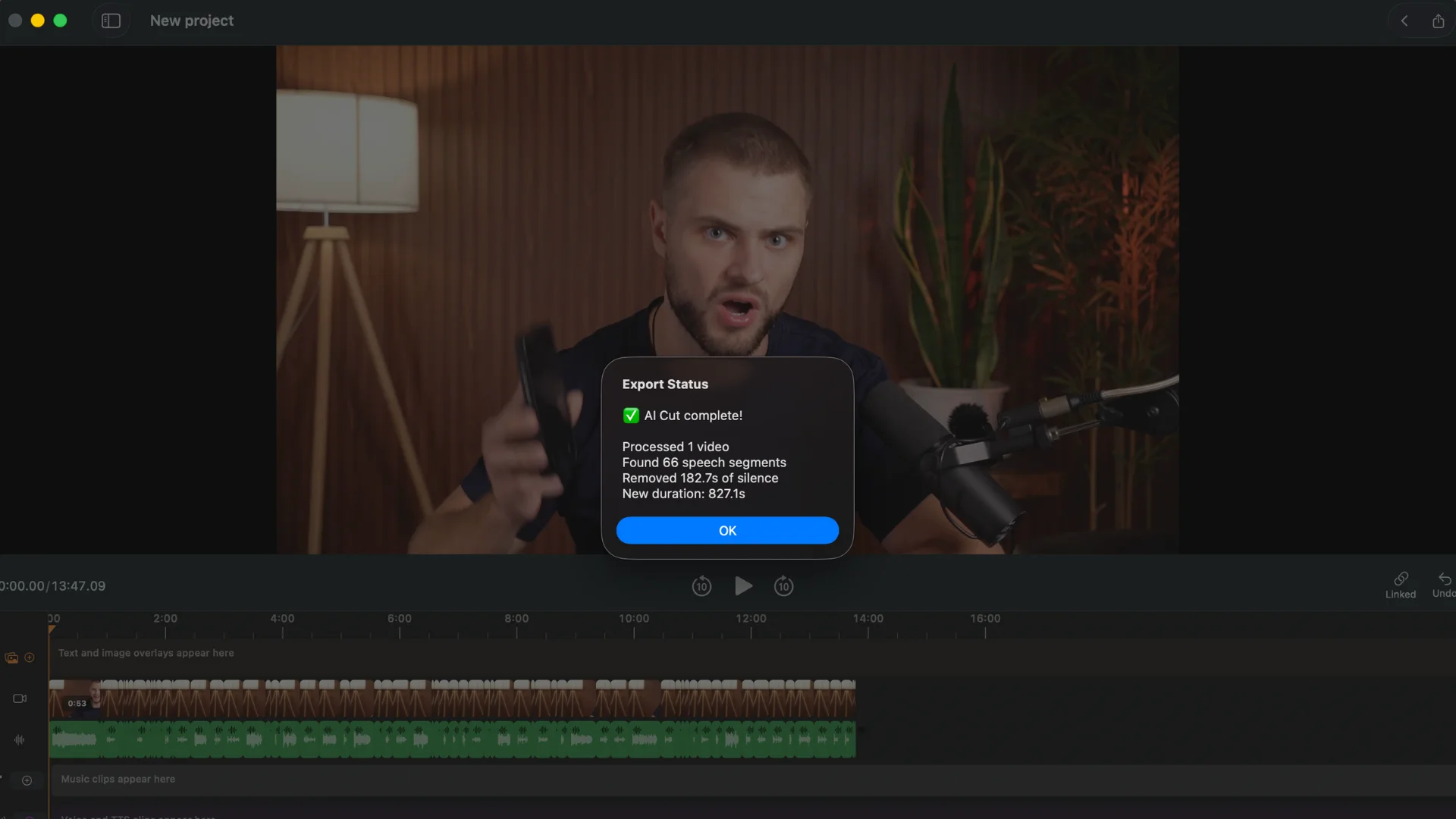
BlitzCut puts automatic silence removal, text-based editing, and animated captions in one workflow. Shorten a recording by editing its transcript, then review the cuts and caption placement before exporting vertically or horizontally. Its AI chat editor also takes plain-language requests, like adding an animated graphic next to the speaker:
Trade-offs: no Windows app. Silence detection runs on the device; transcription sends the audio track (not the video) to a cloud service, and other AI features need an internet connection. See transcription details. For heavy color grading or multicam work, use a desktop production editor.
Price: free 3-day trial, then $6.99/week, $69.99/year, or $129.99 lifetime on the US App Store, covering iPhone, iPad, and Mac. BlitzCut is also on Android; a plan bought on blitzcutai.com/pricing works on Android and Apple devices.
Try BlitzCut · Best AI video editor for iPhone
2. CapCut: best for effects-led Reels and TikToks
Choose it for: social videos built on templates, transitions, layered footage, and effects.
CapCut runs on mobile, desktop, and the web, with AI captions, reframing, background removal, and a mobile AutoCut feature that trims silences. Its transcript editor can also remove filler words and speech gaps.
Trade-offs: a feature in a desktop tutorial isn't necessarily in the mobile free tier. Check premium assets and AI tools before building an edit around them. CapCut says Pro pricing varies by region, device, and promotion.
3. Descript: best for editing podcasts and YouTube by transcript
Choose it for: dialogue-heavy projects where reading and rearranging the conversation is faster than scrubbing a timeline.
Descript combines transcript editing with Studio Sound, filler-word removal, shorter word gaps, clip creation, AI voices, and its Underlord assistant.
Price: from the official pricing page:
| Plan | Price (yearly / monthly) | Media hours | AI credits | Export |
|---|---|---|---|---|
| Free | $0 | 1 hour | 100 (one-time) | 720p, watermark |
| Hobbyist | $16 / $24 | 10/month | 400/month | 1080p |
| Creator | $24 / $35 | 30/month | 800/month | 4K |
| Business | $50 / $65 | 40/month | 1,500/month | 4K |
Trade-offs: media hours and AI credits are separate limits, and prices are per person. Check both if you import long recordings.
4. OpusClip: best for turning long recordings into clips
Choose it for: pulling Shorts, Reels, or TikToks out of a podcast, interview, or webinar you already recorded.
OpusClip picks moments, reframes them, and captions them. Starter ($15/month) adds text and timeline editing, filler and pause removal, and watermark-free exports. Pro ($29/month, or $174/year) adds a scheduler, bad-take removal, and bulk export. The free plan watermarks captions, has no editing, and keeps exports for three days. Its "virality score" helps you prioritize which clips to review, but it can't predict how a clip will perform. See OpusClip's plans.
Trade-offs: it bills per minute of video you upload, so long podcasts use credits fast. Review every clip for missing context.
For more options, see the best AI clipping tools.
5. VEED: best for browser-based subtitles
Choose it for: adding, styling, and translating subtitles without installing an editor.
VEED's online editor transcribes automatically, offers animated subtitle styles, exports subtitle files, and can cut silences from the script. Check subtitle duration, translation allowances, and export limits per plan on the live pricing page: "includes AI" doesn't mean unlimited use of every tool.
6. Adobe Premiere mobile: best free mobile timeline
Choose it for: arranging several video and audio layers on a phone while controlling every cut.
Premiere mobile offers free core editing and watermark-free exports up to 4K. Auto captions work on iPhone; Adobe's platform FAQ lists them as coming soon on Android. Generative tools use paid credits, and it's a separate product from desktop Premiere.
7. YouTube Create: best for simple Shorts
Choose it for: a free, straightforward mobile editor for YouTube, with automatic captions and audio cleanup.
Important limit: Google's help page says Create can't generate captions for clips longer than 60 seconds, and availability depends on your device and country. Confirm both before planning around it.
More editors for YouTube Shorts
8. DaVinci Resolve Studio: best for professional post-production
Choose it for: projects that need editing, color, sound, and visual effects in one desktop app.
Resolve runs on Mac, Windows, and Linux. The free edition is a full editor, but Blackmagic lists text-based editing, Magic Mask, and other AI tools under the paid Studio edition ($295 one-time). See the official comparison.
Trade-offs: much more setup and learning than a focused editor.
Best AI video editing software by platform and budget
iPhone: BlitzCut for talking-head cleanup and captions, Premiere mobile for a free layered timeline, CapCut for effects. See the iPhone comparison.
Android: CapCut for visual edits, BlitzCut for talking-head videos (download), YouTube Create for simple Shorts. Premiere mobile works on Android, but its auto captions are still listed as coming soon there.
Mac: BlitzCut for talking videos, Descript for transcript-led conversations, Final Cut Pro or Resolve for finishing. See the Mac comparison.
YouTube: Descript when the conversation drives the edit, Resolve Studio for detailed finishing, OpusClip to repurpose long recordings.
Free: Premiere mobile (free core editing), YouTube Create (device and caption-length limits), and the free edition of Resolve. Descript, OpusClip, and VEED have limited free tiers; BlitzCut has a trial.
Reels and TikTok: BlitzCut for speech-led clips, CapCut for effects, OpusClip for repurposing. Check caption safe zones before exporting.
Frequently asked questions
What is the best AI video editor in 2026?
There's no single winner. Our picks: BlitzCut for talking-head videos, CapCut for effects-led social videos, Descript for transcript editing, OpusClip for repurposing, VEED for browser subtitles, Premiere mobile for a free mobile timeline, YouTube Create for simple Shorts, and Resolve Studio for professional finishing.
What is the best free AI video editor?
Premiere mobile has free core editing and 4K exports without a watermark. DaVinci Resolve's free edition is a full desktop editor, though its AI tools are in Studio. CapCut and VN have free tiers with AI captions.
Can AI edit a video automatically?
It can automate specific tasks: finding pauses, captioning, suggesting clips, or applying an edit you describe. You still need to check context, cut points, names, and the final export.
What's the difference between an AI video editor and an AI video generator?
An editor changes footage you already have; a generator creates new footage from a prompt or script. Some apps do both: BlitzCut, for example, can add AI motion graphics to a recorded talking-head video.
Our recommendation
Pick the editor that fits the work you repeat most often. If your routine is "record myself, tighten the take, add captions, post", try BlitzCut on iPhone, iPad, or Mac or Android. If your bottleneck is elsewhere, start with the matching pick above.
Related: AI video editor · Best AI clipping tools · How to edit videos on your phone
Editing a talking-head video?
BlitzCut is available on Android, iPhone, iPad, and Mac. It is designed for recorded UGC-style videos, founder-led ads, tutorials, and testimonials and other talking-head content.
Try it for freeRelated Articles
Keep Reading

Best AI Clipping Tools (2026): Klap, OpusClip, Vizard and More Compared
Find the right AI clipping tool for podcasts, streams, and webinars. Klap, OpusClip, Vizard, Quso, and BlitzReels compared on price per clip, credits, and editing.

Best AI Video Editor for iPhone (2026): 8 Apps Compared
The best AI video editor for iPhone depends on your footage. BlitzCut, CapCut, Edits, Captions, Premiere, OpusClip, VN, and InShot compared on AI features and price.

Best AI Video Editor for Mac (2026): 6 Apps Compared
The best AI video editor for Mac: BlitzCut, Descript, CapCut, Final Cut Pro, Premiere Pro, and DaVinci Resolve compared on AI features, what runs on your Mac, and price.