
BlitzCut for Mac: Everything You Need to Know
BlitzCut is now on Mac - native app with on-device silence removal, AI captions, text-based editing, TTS voiceover, and 4K export. No video uploads. No lag.


BlitzCut is now on Mac.
Not a web wrapper. Not an Electron app. A proper native macOS application - built for the creators who've been using BlitzCut on iPhone and iPad, and for desktop editors who've been looking for a faster, simpler alternative to overbuilt tools like Descript.
About 100MB. Silence removal on-device. No unnecessary AI features bloating the interface. One subscription that covers Mac and iPhone both. This is everything you need to know about BlitzCut for Mac.
What BlitzCut for Mac Is
BlitzCut is a native macOS video editor built specifically for talking-head content: podcasts, YouTube videos, course recordings, social media clips, and anything where the spoken word is the content.
The premise is simple: most creators who record talking-head video spend the bulk of their editing time on the same four tasks - removing silence, trimming the transcript, adding captions, and exporting at the right format. BlitzCut handles all four in one session, on your Mac, without uploading your video to a server.
The core workflow:
- Import your recording - drag it in or use the native macOS file picker
- Silence removal runs automatically on your device
- Edit the transcript to cut and rearrange your content
- Add captions and choose your style
- Export up to 4K at any aspect ratio
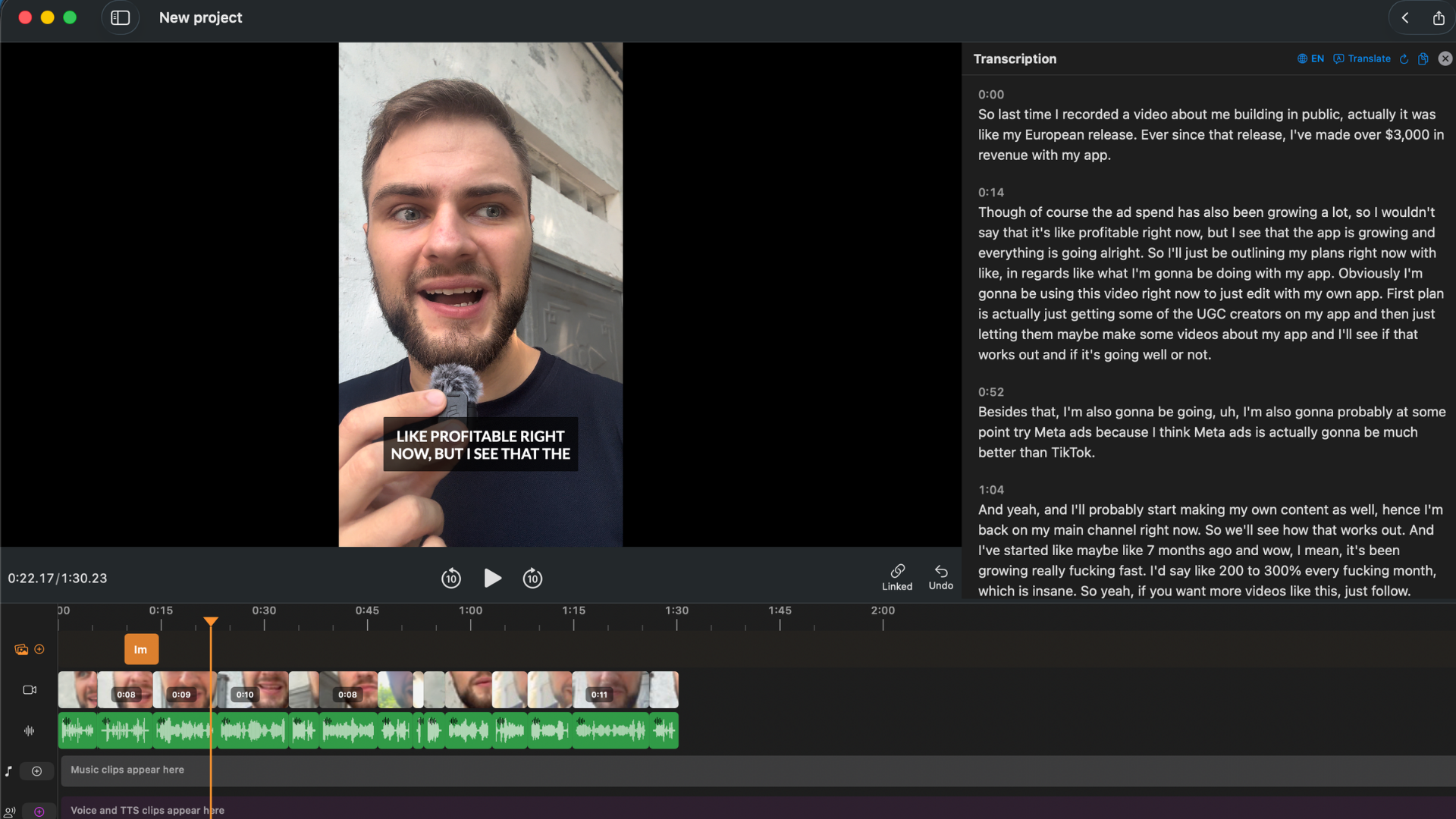
BlitzCut for Mac — transcript panel, video preview, and waveform in one native app. No upload required.
A Native Mac App - Not Electron
This is the most important technical detail about BlitzCut for Mac, so it deserves more than a bullet point.
Most "desktop" video apps released in the last several years are Electron apps. Descript is Electron. Electron is a framework that packages a web app into a desktop window. It works - but it carries the performance overhead of running an entire browser engine inside your app. That means:
- Higher RAM consumption (often 800MB–2GB just to run the app)
- UI lag when scrubbing video or switching between panels
- Slower file I/O, especially with large video files
- Significant battery drain - relevant on any MacBook
- A generic feel that doesn't behave quite like a real Mac app
BlitzCut for Mac is written as a native macOS application. It uses system-level APIs for video processing, file handling, and rendering. On Apple Silicon (M1 and later), native apps run with dramatically better performance and efficiency than Electron equivalents.
In practice, this means:
- BlitzCut opens and feels instant
- Scrolling through a transcript on a 45-minute recording is smooth
- File operations use the native macOS file picker, not a web upload dialog
- The app integrates with macOS conventions - right-click menus work as expected, keyboard shortcuts feel familiar, drag-and-drop works throughout
- Memory usage is a fraction of Electron alternatives
BlitzCut's installed size is About 100MB. That's the entire application. Descript's Electron app routinely occupies 400–600MB of disk space before you've opened a single project. If you're on a MacBook with limited storage, this matters.
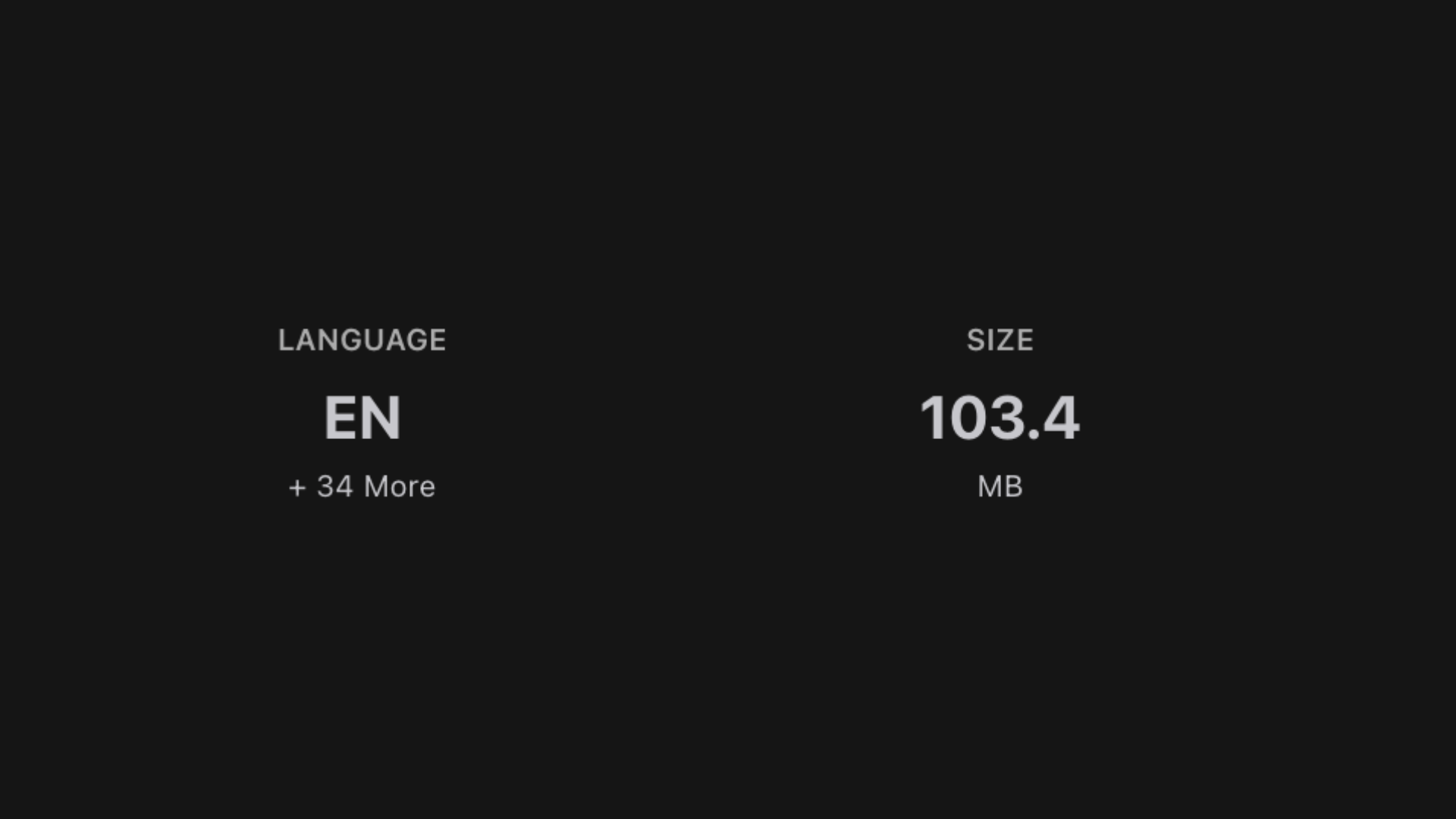
BlitzCut for Mac stays compact at about 100MB installed, which is unusually small for a desktop video editor.
Full Feature List
Every BlitzCut subscription includes access to the complete feature set - no tiers where core features are locked behind a more expensive plan.
| Feature | Details |
|---|---|
| Silence removal | On-device AI - instant, no upload, works fully offline |
| AI caption generation | Automatic, high accuracy, multiple styles |
| Transcription | Full video transcription for text-based editing |
| Text-based editing | Edit the transcript, the video cuts follow automatically |
| Text-to-speech (TTS) | AI voiceover generation |
| Voice-over recording | Record audio directly inside the app |
| Caption style customization | Multiple presets, fonts, colors, positioning |
| Word-by-word karaoke captions | Animated word-highlight captions |
| Manual trim & cut | Traditional timeline editing when you want it |
| 4K export | Up to 4K resolution output |
| All aspect ratios | 9:16, 16:9, 1:1 |
| No watermark | Clean exports on every plan |
What BlitzCut deliberately doesn't include: AI dubbing, AI avatar generation, voice cloning, screen recording editing, multi-track audio compositing, team collaboration tools, cloud storage. These are features other tools charge for that most solo creators never use. BlitzCut stays focused on what the majority of creators actually need - and as a result, the interface stays simple.
Streamlined macOS Controls
One of the decisions made in building BlitzCut for Mac was to treat the Mac as a first-class platform, not a port of the mobile app with a keyboard bolted on.
The controls are designed around how Mac users actually work:
Keyboard-first editing. The transcript editing workflow is built for a keyboard. Navigate between words, select ranges, delete sections - all without taking your hands off the keyboard. For editing long recordings, this makes a meaningful difference in speed compared to touch-based or mouse-only workflows.
Native drag and drop. Import video files by dragging them directly from Finder into BlitzCut. Works with files from external drives, NAS, your Downloads folder - anywhere on your system.
Mac-standard menus. The menu bar, Edit menu, and keyboard shortcuts follow macOS conventions. If you've used any Mac app for more than a week, you already know where things are.
Right-click context menus. Right-click on any section of the transcript to access cut, delete, and edit options without reaching for the toolbar.
Dark mode support. BlitzCut respects your macOS appearance setting and switches between light and dark mode automatically.
Native file dialogs. When you export, you get a real macOS save dialog with full access to iCloud Drive, external volumes, and your folder structure - not a web-style "download to Downloads" flow.
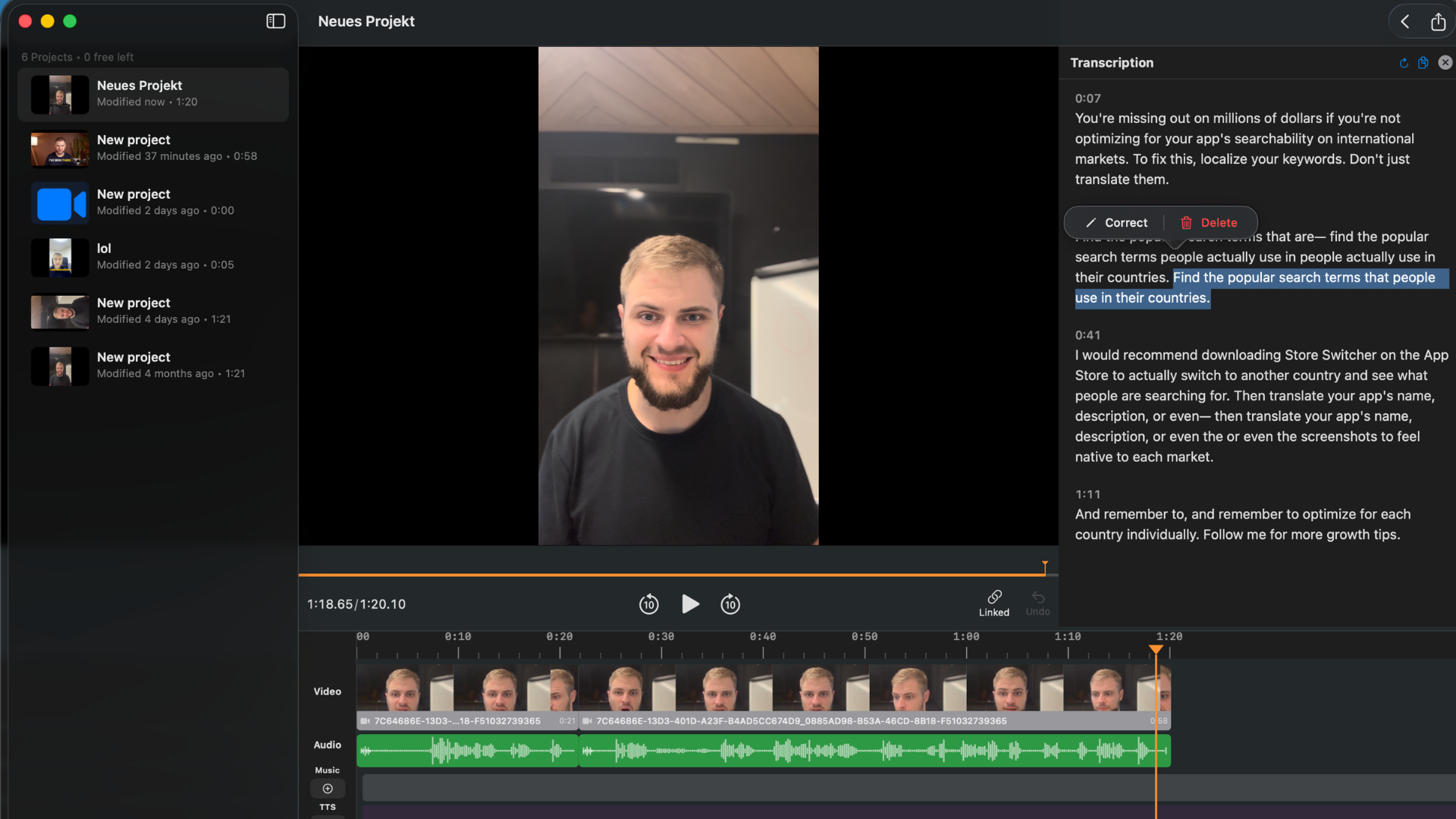
Navigate and select in the transcript without leaving the keyboard. Delete a word or sentence — the footage cuts with it.
The On-Device Silence Removal Advantage
Silence removal in BlitzCut for Mac runs entirely on your device using AI.
This is meaningfully different from how most cloud-based tools handle it. When you remove silence in Descript, your video file has to upload to their servers before any processing begins. For a 10-minute 4K recording, that can mean 5–15 minutes of waiting before you've made a single cut. On a slower connection, or if you're working from a location without reliable Wi-Fi, this breaks the workflow entirely.
BlitzCut's on-device silence removal uses local AI processing. You import your file and it starts immediately - no upload, no progress bar counting to 100%, no waiting for a server response. For a 10-minute recording, silence removal typically completes in 60–90 seconds. For shorter clips, it's under 30 seconds.
The AI is trained on conversational speech patterns - it doesn't just look at volume levels. It understands the difference between a meaningful pause in a sentence and dead air between takes. It handles soft-spoken content, trailing sentences, and natural breath patterns better than simple threshold-based tools. The result is fewer "false positives" - accidental cuts into actual speech - which means less manual cleanup after the initial pass.
And because processing is local, it works with no internet connection at all. Record your video on a plane, land, open BlitzCut, remove silence. No Wi-Fi required.
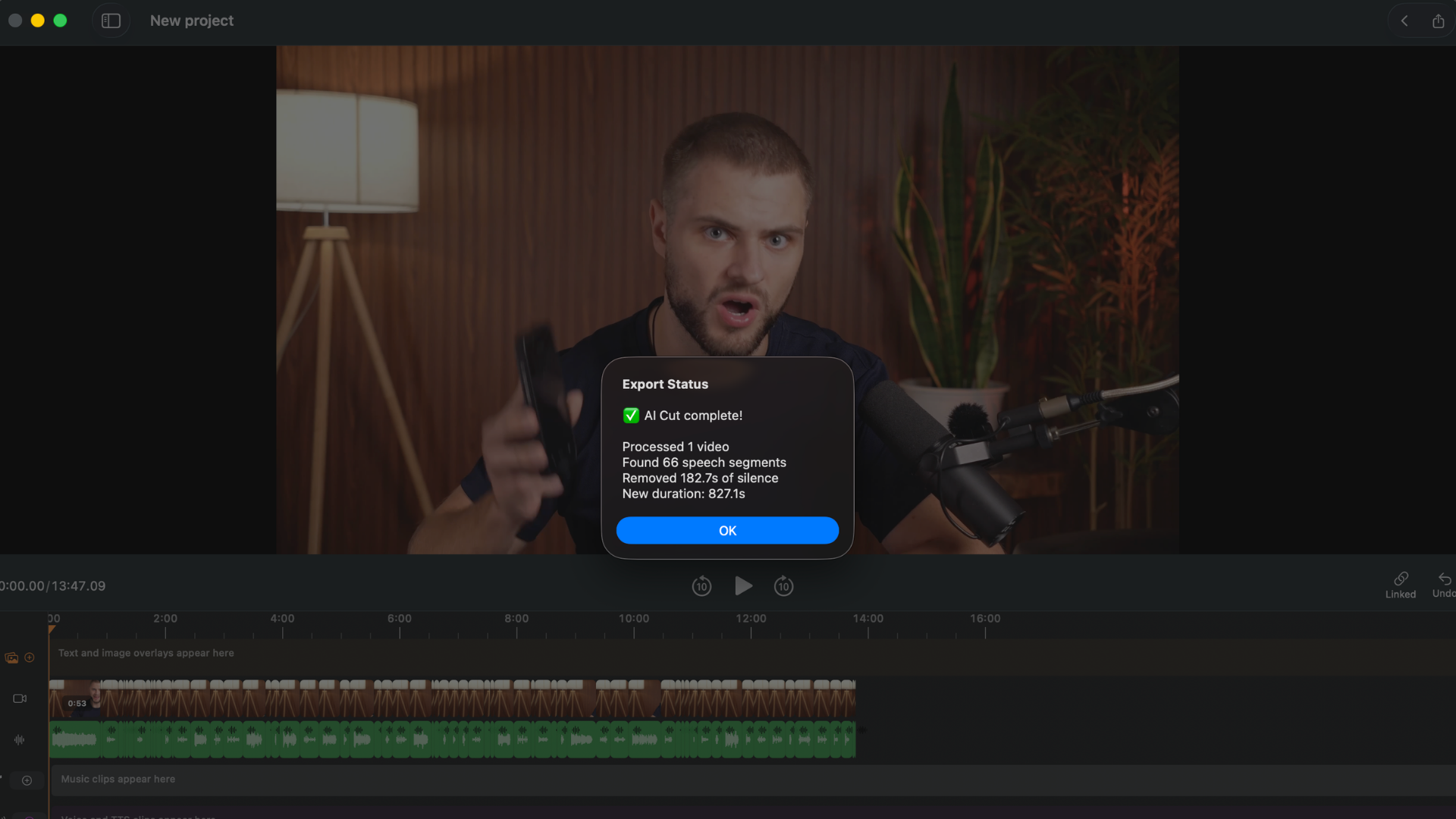
On-device AI marks and removes silence immediately after import. No upload, no waiting for a server.
Text-Based Editing on Mac
Once your video is transcribed, BlitzCut shows you every spoken word as editable text. This is the transcript editing workflow - edit the text, edit the video.
Delete a sentence from the transcript: that footage is cut. Select a filler phrase and delete it: it's gone from the video. Rearrange paragraphs in the transcript: the clips rearrange with them.
On Mac, this workflow is faster than on mobile for longer recordings. You can see more of the transcript at once, keyboard navigation covers ground quickly, and the larger screen makes it easier to scan for the sections you want to cut. For a 20–30 minute podcast episode, editing the transcript on Mac takes a fraction of the time it would take scrubbing a traditional video timeline.
The practical impact: a 30-minute raw recording with the usual dead air, stumbled sentences, and pre-recording chatter can typically be edited down to a clean 20-minute episode in 10–15 minutes of active work.
Edit the transcript like a document. Every deletion removes the matching video — no timeline scrubbing needed.
AI Captions - Multiple Styles Including Karaoke
After editing, BlitzCut generates AI captions from the transcript. Because the transcription already exists from the editing step, caption generation is fast - the text is already there.
Caption styles available:
- Standard subtitles - clean, readable, positioned at the bottom
- Bold center captions - large text centered for social media
- Word-by-word karaoke - each word highlights as it's spoken, the style that consistently outperforms static captions on TikTok and Reels
You can customize font, size, color, position, and background. The style carries through to export - what you see in BlitzCut is what you get in the exported file.
For podcast clips destined for social media, karaoke captions are effectively a requirement in 2026. BlitzCut generates them automatically from the transcript with no manual timing adjustment needed.
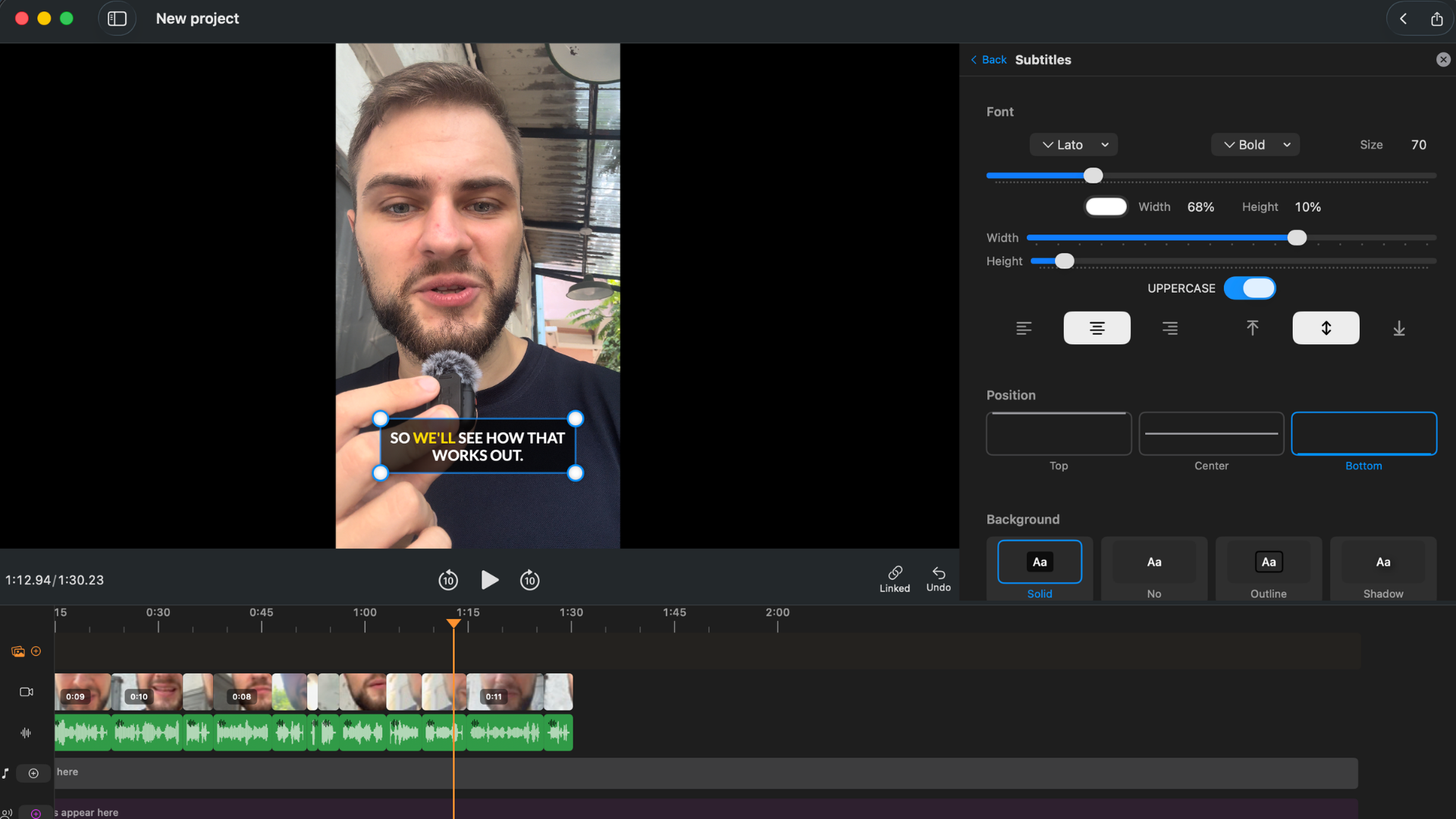
Standard, bold, and karaoke caption styles. Timing is automatic — generated from the transcript with no manual adjustment.
TTS Voiceover and Recording
BlitzCut for Mac includes two ways to add narration to your videos:
Text-to-speech (TTS): Type text and generate an AI voiceover. Useful for intros, outros, B-roll narration, or replacing a section of audio without re-recording. TTS requires an internet connection for processing.
Voice-over recording: Record audio directly inside BlitzCut using your Mac's microphone. The recording syncs to the timeline immediately. No need to open a separate audio recording app, record a file, import it, and line it up manually.
These features cover workflows that Descript charges significant extra money for (Overdub is voice-cloning only, not general TTS), and that most traditional video editors don't include at all.
iOS + Mac: One Subscription, Both Platforms
BlitzCut runs on iPhone, iPad, and Mac. One subscription covers all three - no separate purchase per platform, no additional fee for the Mac version.
This is significant for creators who work across devices. The most common workflow:
- Film on iPhone (better camera than most webcams, always in your pocket)
- AirDrop the file to your Mac
- Open in BlitzCut for Mac and edit on the larger screen
- Export and post
Cross-device sync is now available - start a project on iPhone and continue it on Mac without any file transfer step. Sync is off by default; enable it in BlitzCut's settings to turn it on.
Sync runs through your own iCloud account, so your projects count against your iCloud storage. Large video projects can fill up iCloud quickly - if you're on the free 5GB tier or already near your limit, keep an eye on your storage or sync selectively.
No other tool in this category offers a genuinely full-featured iOS app and a full-featured Mac app on the same subscription. Descript and Recut have no iOS app at all. Final Cut Pro is Mac-only.
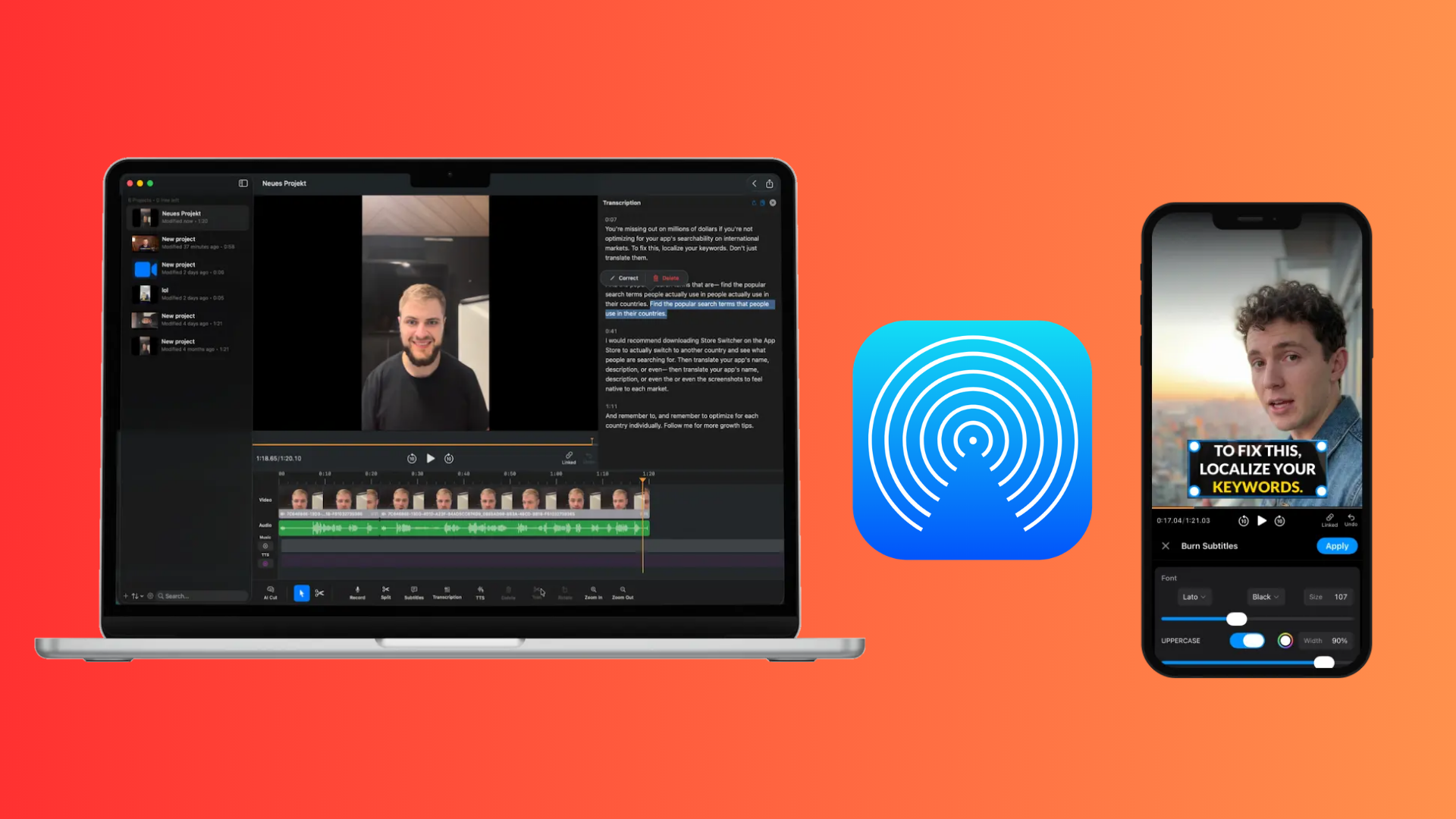
iPhone capture, AirDrop to Mac, then finish the edit on a larger screen in BlitzCut with the same workflow across both devices.
Simple Pricing - No Tiers, No Feature Locks
BlitzCut for Mac uses straightforward pricing with no feature tiers. Every plan gets access to every feature - silence removal, captions, TTS, karaoke captions, 4K export, no watermark. The only difference between plans is billing frequency.
| Plan | Price* | Per Month |
|---|---|---|
| Weekly | $6.99/week | ~$30/mo (flexible, no commitment) |
| Monthly | $16.99/month | $16.99 |
| Annual | $69.99/year | ~$6/month |
| Lifetime | $129.99 one-time | - (limited time offer) |
3-day free trial included on all plans - full features, no watermark, no credit card required to start.
*Prices shown are US rates and vary by region - in some countries BlitzCut is up to 60% cheaper based on local purchasing power. Check the in-app price for your region.
The lifetime plan at $129.99 (US price) is a limited-time offer and makes BlitzCut one of the most cost-effective professional tools in this space. For comparison, Descript's Creator plan costs $288/year billed annually - about four times BlitzCut's annual plan, for software that requires cloud upload and runs on Electron.
The weekly plan is useful for creators who edit in bursts - a heavy production week every month or so - without paying monthly when they're not actively editing.
What BlitzCut for Mac Is Best For
Daily social media content creators. TikTok, YouTube Shorts, Reels - the workflow from raw recording to exported, captioned, correctly-sized clip is shorter in BlitzCut than in any other tool on Mac. This matters when you're posting every day.
Podcasters creating video clips. Record your episode, bring it into BlitzCut, remove silence, cut the transcript, add captions, export 9:16 for Reels and 16:9 for YouTube. Complete in one session.
Course creators and educators. Long recordings with predictable pacing needs - silence removal handles the dead air, transcription gives you a searchable script, captions make the content accessible. All in one app, with silence removal and editing local and no video upload.
Creators moving off Descript. If you're using Descript primarily for silence removal and captions (the most common use case), BlitzCut does both faster, without uploading your video, for less money, and without the Electron overhead.
Apple ecosystem creators. iPhone + AirDrop + Mac + BlitzCut is a complete, native Apple workflow. Nothing that requires a browser, a cloud account you don't control, or software that doesn't behave like a real Mac app.
How BlitzCut Compares to the Main Alternatives
| BlitzCut for Mac | Descript | Final Cut Pro | Recut | |
|---|---|---|---|---|
| Monthly price | $16.99* | $35 ($24 billed annually) | n/a (one-time) | n/a (one-time) |
| Annual price | $69.99 | $288 | n/a (one-time) | n/a (one-time) |
| Lifetime option | $129.99 | No | $299 | $129 |
| Silence removal | On-device AI, instant | Cloud, upload first | None | On-device |
| AI captions | Yes | Yes | No | No |
| Karaoke captions | Yes | No | No | No |
| Text-based editing | Yes | Yes | No | No |
| TTS voiceover | Yes | No | No | No |
| iOS companion | Full-featured | Limited | No | No |
| Native Mac app | Yes | No (Electron) | Yes | Yes |
| App size | About 100MB | 400–600MB | ~3GB | ~50MB |
| Works offline | Silence removal | No | Yes | Yes |
| No video upload | Yes | No | Yes | Yes |
Frequently Asked Questions
Is BlitzCut for Mac a native app or an Electron app? Native macOS app. BlitzCut uses platform-level APIs, not the Electron web-app framework. This is why it's about 100MB, starts quickly, and doesn't drain your battery the way Descript and similar Electron editors do.
Does BlitzCut for Mac upload my videos to the cloud? Silence removal processes your video entirely on-device - no upload, no internet connection needed. Other AI features (captions, transcription, TTS) use AI processing but do not require uploading your raw video file to an external server.
Does one subscription cover both Mac and iPhone? Yes. One subscription covers iPhone, iPad, and Mac. You don't pay separately per platform or per device.
Does BlitzCut for Mac work without Wi-Fi? Silence removal works fully offline. AI caption generation, transcription, and TTS require an internet connection for processing.
What's the lifetime plan and how long is it available? The lifetime plan at $129.99 in the US (prices vary by region) is a limited-time offer available now. It's a one-time payment for lifetime access to BlitzCut on Mac and iOS. We can't guarantee it will remain available, so if you're going to subscribe anyway, the lifetime option is significantly cheaper than two years of the monthly plan.
Is cross-device sync available yet? Yes. Sync between iPhone and Mac works now, but it's off by default - enable it in BlitzCut's settings. Sync uses your own iCloud account, so projects count against your iCloud storage and large video projects can fill it up fast. If you'd rather not use iCloud, AirDrop still moves footage from iPhone to Mac in seconds as a manual handoff.
What's different about the Mac version vs the iPhone version? The feature set is identical. The Mac version gives you a larger editing canvas, full keyboard support, and more comfortable handling of longer recordings. The transcript editing workflow in particular benefits significantly from a keyboard and a larger screen.
Does BlitzCut support Dark Mode on Mac? Yes. BlitzCut follows your macOS appearance setting and switches between light and dark mode automatically.
Related: Best Mac Apps for Silence Removal in 2026 · Recut vs BlitzCut for Mac · How to Edit Podcasts on Mac Without Descript · Video Editor for Mac: Silence Removal and Captions
Editing a talking-head video?
BlitzCut is available on Android, iPhone, iPad, and Mac. It is designed for recorded UGC-style videos, founder-led ads, tutorials, and testimonials and other talking-head content.
Try it for freeRelated Articles
Keep Reading

Best AI Clipping Tools (2026): Klap, OpusClip, Vizard and More Compared
Find the right AI clipping tool for podcasts, streams, and webinars. Klap, OpusClip, Vizard, Quso, and BlitzReels compared on price per clip, credits, and editing.

Best AI Video Editor for iPhone (2026): 8 Apps Compared
The best AI video editor for iPhone depends on your footage. BlitzCut, CapCut, Edits, Captions, Premiere, OpusClip, VN, and InShot compared on AI features and price.

Best AI Video Editor for Mac (2026): 6 Apps Compared
The best AI video editor for Mac: BlitzCut, Descript, CapCut, Final Cut Pro, Premiere Pro, and DaVinci Resolve compared on AI features, what runs on your Mac, and price.