
Best Webcam for Content Creators on Mac (2026)
Best webcams for Mac content creators in 2026. 4K, AI tracking, and budget options compared — Insta360 Link 2 Pro, OBSBOT Meet 2, Logitech StreamCam, and more.


This article contains affiliate links. If you buy through our links, we may earn a small commission at no extra cost to you.
The best webcam for Mac content creators in 2026 is the Insta360 Link 2 Pro ($249) for creators who want the highest quality and AI tracking, or the OBSBOT Meet 2 ($99) for budget-conscious creators who still want genuine 4K. The Logitech StreamCam ($150) is the best option for vertical content creation and streaming. MacBook's built-in camera improved significantly with M-series chips, but any dedicated webcam produces better image quality for recording content to publish.
A webcam matters for any creator who records from a Mac desktop setup, desk-based tutorials, screen recordings with facecam, streaming, or video podcasts. If you're filming on an iPhone and editing on Mac, skip this article — your iPhone camera is already significantly better than any webcam at any price.
But if your content is filmed at your desk, the difference between a MacBook's built-in camera and a dedicated webcam is visible to viewers. This guide breaks down the best options based on actual 2026 specs, independent reviews, and what matters for creator use cases specifically.
Do You Actually Need a Webcam?
Before buying, check if you need one.
You need a webcam if:
- You record desk-based tutorials, course content, or YouTube videos from your Mac
- You stream on Twitch, YouTube, or TikTok Live from a desktop setup
- You record video podcasts or call-in interviews at your Mac
- Your MacBook's camera produces poor quality in low light
You probably don't need a webcam if:
- You film content with your iPhone and only use Mac for editing
- You're on an Apple Studio Display or Pro Display XDR — both include high-quality 12MP Ultra Wide cameras
- You use a mirrorless camera as a webcam via USB (produces better results than any webcam)
What to Look for in a Creator Webcam
Resolution: 1080p is the minimum for published content. 4K is better, but the real-world difference between 4K and sharp 1080p is smaller than the spec suggests — sensor size and low-light performance matter more.
Sensor size: Larger sensors capture more light and produce better low-light performance. The Insta360 Link 2 Pro's 1/1.3-inch sensor is significantly larger than typical webcam sensors. Larger sensor = better quality in dim environments.
AI tracking/framing: Webcams like the Insta360 Link 2 Pro and OBSBOT models automatically follow you when you move away from center. This is genuinely useful for creators who gesture, move to a whiteboard, or demonstrate things on desk.
Portrait mode / vertical output: The Logitech StreamCam is unique in rotating to portrait mode — useful for vertical TikTok or Reels content from a desktop setup.
Mac compatibility: All modern webcams work on Mac via USB plug-and-play. No drivers needed. A few have companion apps (Logitech G Hub, OBSBOT app, Insta360 Link app) for advanced settings — all work on macOS.
Best Webcams for Mac Content Creators in 2026
1. Insta360 Link 2 Pro — Best Overall
Price: ~$249 | Check on Amazon
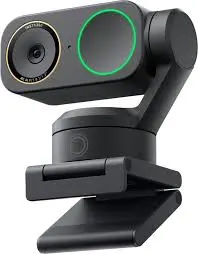
Released in January 2026, the Insta360 Link 2 Pro represents the current ceiling for consumer webcam quality. The 1/1.3-inch sensor is the largest in any mainstream webcam — nearly double the sensor area of typical webcam sensors — which translates directly to better low-light performance and more natural color reproduction.
The 2-axis physical gimbal sets it apart: rather than digitally cropping to simulate tracking, the gimbal physically moves the camera to keep you in frame when you move. Tom's Guide called it "the webcam to beat" and named it best-in-class for both image quality and tracking.
Key specs:
- 4K / 30fps, 1080p / 60fps
- 1/1.3-inch sensor (largest in mainstream webcams)
- 2-axis physical gimbal with AI subject tracking
- Dual native ISO for HDR
- Gesture controls (wave to start/stop recording)
- DeskView mode (top-down view of your desk)
- USB-C, plug-and-play on Mac
Why it's worth $249: The physical gimbal produces tracking motion that looks natural rather than the "digital zoom jerk" of software-based tracking. The sensor handles dim rooms that defeat cheaper cameras. For tutorial creators who move around and want professional quality, there's nothing closer at this price.
Best for: Course creators, YouTube educators, video podcasters, and streamers who want the best image quality from a webcam.
2. Insta360 Link 2C Pro — Best Runner-Up
Price: ~$199 | Check on Amazon
The Link 2C Pro is the Link 2 Pro without the physical gimbal. Same sensor, same image quality, same AI framing — but tracking is software-based rather than physical. For creators who stay relatively still, the difference is minimal. For creators who move significantly, the physical gimbal of the Link 2 Pro is noticeably smoother.
Save $50 if you film from a fixed desk position. Spend the $50 if you move.
Best for: Desk-based creators who want Link 2 Pro image quality without paying for gimbal tracking they won't use.
3. OBSBOT Meet 2 — Best 4K Budget Pick
Price: ~$99 | Check on Amazon
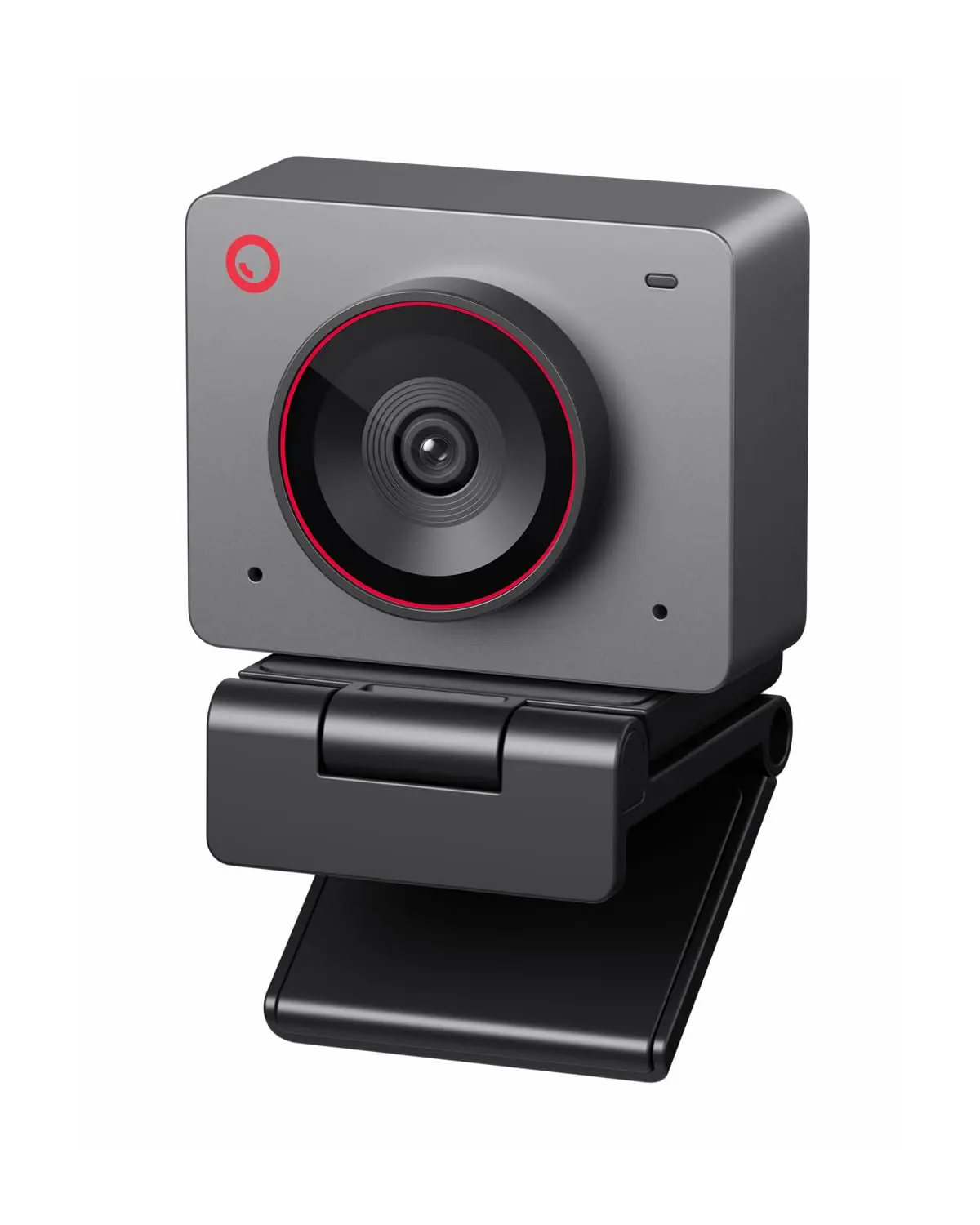
At $99, the OBSBOT Meet 2 is the most affordable path to genuine 4K webcam footage with AI auto-framing. Independent reviewers at TechRadar and Digital Camera World both highlight it as the value leader in the 4K webcam category.
The AI framing tracks you when you move and adjusts the digital zoom to keep you well-framed without manual adjustment. It's not as smooth as the Insta360's physical gimbal, but it's functional and noticeably better than no tracking at all.
Key specs:
- 4K / 30fps, 1080p / 60fps
- AI auto-framing and face tracking
- 65° field of view
- Dual microphones built in
- USB-C, works plug-and-play on Mac
Best for: Budget creators who want 4K with AI tracking and don't want to spend more than $100.
4. Logitech StreamCam — Best for Vertical Content and Streaming
Price: ~$130–160 | Check on Amazon
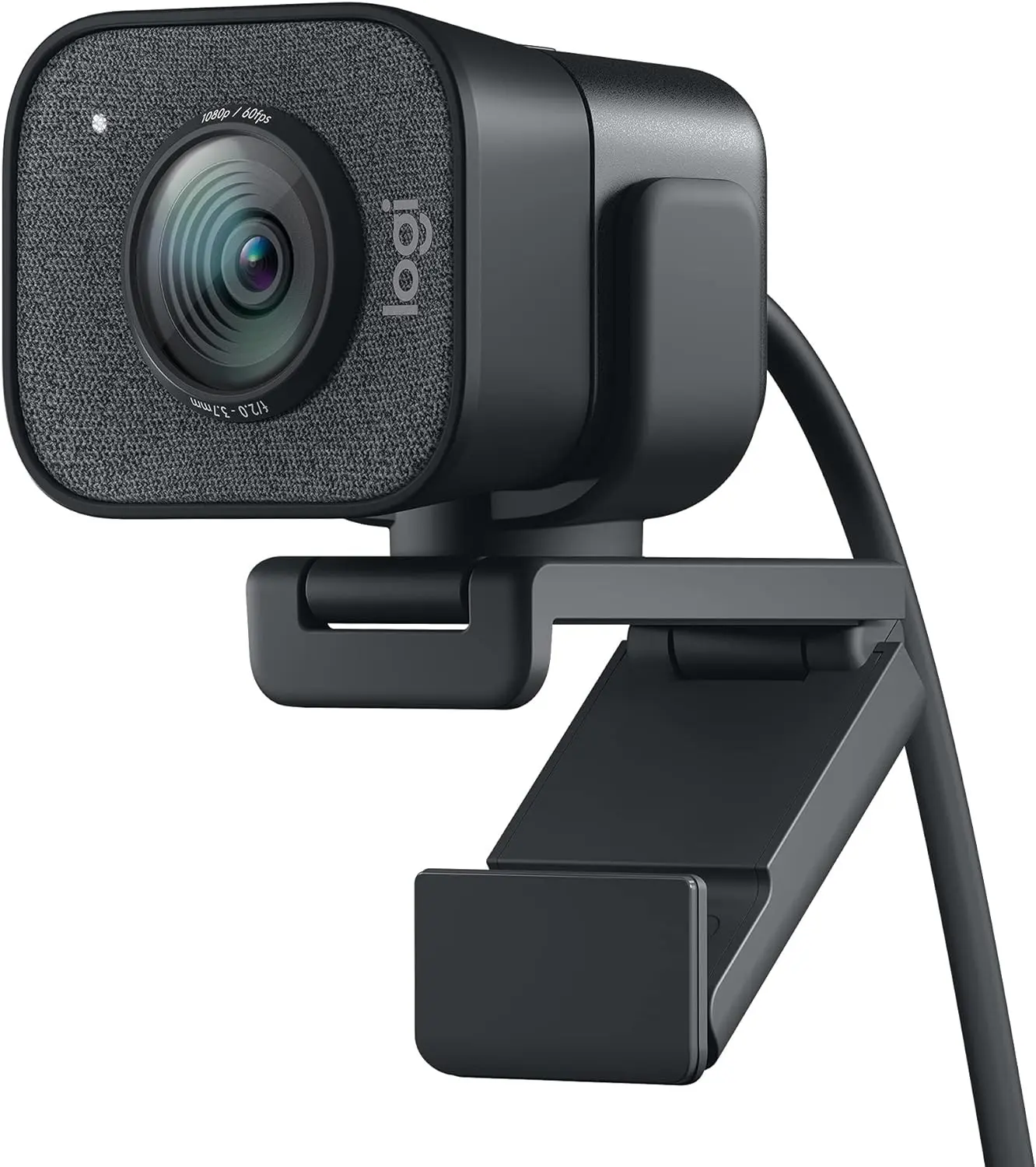
The Logitech StreamCam is a 1080p/60fps webcam with one unique capability: it physically rotates to portrait mode for vertical filming. If you create TikTok or Reels-style desk content from a Mac setup, this is the only mainstream webcam that outputs a proper vertical frame without cropping.
The 60fps output is meaningfully smoother than 30fps — visible in fast-moving tutorial content and especially in streaming.
Key specs:
- 1080p / 60fps
- Rotates to portrait mode (vertical 9:16 output)
- Auto-focus and auto-exposure
- USB-C
- Works with OBS, Streamlabs, Zoom, and all major software
Best for: Streamers who want smooth 60fps footage, TikTok desk creators who want native vertical output.
The trade-off: 1080p at 60fps looks better in motion than 4K at 30fps for streaming. For static tutorial recording, 4K at 30fps looks sharper as a still image. Know your use case.
5. Logitech MX Brio — Best for Mac Desktops (iMac / Mac Mini)
Price: ~$190–200 | Check on Amazon
The Logitech MX Brio is designed with Mac users specifically in mind — it works natively with macOS's camera controls, has an excellent Show Mode (flips 65° downward to show your desk), and ships in a configuration optimized for iMac and Mac Mini setups where an external monitor is the primary display.
Key specs:
- 4K / 30fps
- 90° adjustable field of view
- Show Mode for overhead desk view
- Enhanced image processing with Logitech's RightLight 4
- USB-C or USB-A
Best for: iMac or Mac Mini creators who want a premium Logitech experience with Mac-native integration.
6. EMEET NOVA 4K — Best Ultra-Budget
Price: ~$40–50 | Check on Amazon
Under $50 for genuine 4K output. The EMEET NOVA 4K doesn't have AI tracking, doesn't have a large sensor, and doesn't have any premium features. What it has is 4K resolution at a price that undercuts the competition by $50+.
If your only requirement is better-than-built-in camera quality with 4K output and a fixed desk position, the EMEET NOVA 4K is a legitimate budget option.
Best for: Creators on tight budgets who just need a basic quality upgrade from their built-in Mac camera.
Comparison Table
| Webcam | Resolution | Price | Tracking | Best For |
|---|---|---|---|---|
| Insta360 Link 2 Pro | 4K / 30fps | ~$249 | Physical gimbal | Best quality, moving creators |
| Insta360 Link 2C Pro | 4K / 30fps | ~$199 | AI digital | Best quality, fixed desk |
| OBSBOT Meet 2 | 4K / 30fps | ~$99 | AI digital | Budget 4K with tracking |
| Logitech StreamCam | 1080p / 60fps | ~$150 | Auto-framing | Streaming, vertical content |
| Logitech MX Brio | 4K / 30fps | ~$195 | RightLight 4 | iMac / Mac Mini, Mac-native |
| EMEET NOVA 4K | 4K / 30fps | ~$45 | None | Ultra-budget basic upgrade |
Should You Use an iPhone as a Webcam Instead?
In 2024, Apple added Continuity Camera — a feature that lets you use any iPhone as a Mac webcam over Wi-Fi or USB. If you have an iPhone 12 or newer, this is worth trying before buying a dedicated webcam.
iPhone camera quality — even on an iPhone 12 — exceeds every webcam on this list in ideal conditions. The iPhone's sensor, lens system, and computational photography produce images that no $250 webcam can fully match.
Continuity Camera limitations:
- iPhone must be mounted near your Mac (dedicated Belkin or third-party mount needed for good positioning)
- Uses iPhone battery
- Not as seamless as a plugged-in webcam for long sessions
- Some apps don't recognize it automatically
For occasional recording sessions, try Continuity Camera first. If you find yourself dealing with its limitations daily, then a dedicated webcam is worth buying.
Frequently Asked Questions
What is the best 4K webcam for Mac in 2026?
The Insta360 Link 2 Pro ($249) is the best 4K webcam for Mac in 2026 based on image quality, sensor size, and tracking capability, according to reviews from TechRadar, Digital Camera World, and Tom's Guide. For creators on a budget, the OBSBOT Meet 2 ($99) is the best value 4K option.
Do webcams work plug-and-play on Mac?
Yes. All major webcams work plug-and-play on macOS via USB or USB-C. The Mac recognizes them automatically in FaceTime, Zoom, QuickTime, OBS, and other video apps. No driver installation required. Some webcams have optional companion apps for advanced settings.
Can I use an iPhone as a webcam on Mac?
Yes. Apple's Continuity Camera feature, available on macOS Ventura and later, lets you use an iPhone 12 or newer as a Mac webcam wirelessly. Image quality exceeds most dedicated webcams. You need a mount to position the iPhone near your Mac for a stable, well-framed shot.
Is 4K webcam quality noticeably better than 1080p?
In good lighting, yes — 4K footage resolves more detail and scales down cleanly for 1080p publishing. In poor lighting, sensor size matters more than resolution. A 1080p webcam with a large sensor (like the Insta360 Link 2C Pro's 1/1.3" sensor) can outperform a 4K webcam with a small sensor in dim conditions.
What webcam works best for TikTok desk content?
The Logitech StreamCam is the best webcam for TikTok desk content because it rotates to portrait mode, outputting a native vertical 9:16 frame. Other webcams require software cropping to simulate vertical output.
Better recording, faster editing: BlitzCut AI removes silence, removes filler words, and adds styled captions to your Mac recordings. Try it free for 3 days.
Related: Best Microphone for YouTube Shorts and Reels · Best Ring Light for TikTok Creators · Budget Home Studio Setup for TikTok Creators
Last Updated: May 21, 2026 Category: Gear & Equipment Topic: Best Webcams for Content Creators on Mac
Post every day without spending hours editing
BlitzCut is a native app for iPhone, iPad, and Mac. Get from raw footage to TikTok-ready in under 2 minutes, so editing is never the reason you didn't post.
Try it for freeRelated Articles
Keep Reading

Best Video Editing App for E-Commerce Sellers (2026)
Find the best video editing app for e-commerce sellers: compare 5 tools for talking-head UGC, founder-led ads, product demos, and Shopify videos.

Best Adobe Premiere Rush Alternatives (2026): Where to Go Before It Shuts Down
Premiere Rush support ends September 30, 2026. The best alternatives for Mac, iPhone and Android — including Adobe's own replacement — and how to migrate.

Best AI Clipping Tools, Rated by What Users Actually Say (2026)
Best AI clipping tools compared on independent user reviews, billing complaints, and pricing: Vizard, OpusClip, Klap, Quso, and BlitzReels. Plus OpusClip alternatives.