Blitzcut logoBlitzcut
CapCut alternative18 min read

10 Best CapCut Alternatives for TikTok Creators (2026)

The best CapCut alternatives in 2026 — compared by features, pricing, and ease of use. Includes free options, mobile-first picks, and the top choice for talking-head creators.

BT
BlitzCut Team
10 Best CapCut Alternatives for TikTok Creators (2026)

The short answer: BlitzCut for talking-head content, VN for free advanced editing, InShot for simple cuts, Descript for podcasters, VEED for browser-based editing.

CapCut changed how creators edit videos for social media, but many creators are now searching for CapCut alternatives that offer better features, more reliability, or simply a fresh approach to mobile video editing. BlitzCut video editor stands out as the top CapCut alternative for talking-head content, offering automatic silence removal and AI-powered subtitles that CapCut doesn't match.

Whether you're concerned about app availability, want more advanced AI features, or just need a change, this guide compares the 10 best CapCut alternatives for TikTok, Instagram Reels, and YouTube Shorts creators in 2026.

Why Creators Are Looking for CapCut Alternatives

CapCut is a powerful app, but it's not the right tool for everyone. Here's why creators are switching:

Availability concerns. CapCut has faced regulatory scrutiny in several countries, including a temporary ban in the United States. Even creators who aren't directly affected want a backup plan that isn't dependent on a single app's political status.

Ownership and data. CapCut is owned by ByteDance — the same company that owns TikTok. Creators who are uncomfortable with that data relationship are actively looking for independently owned alternatives.

Missing features. CapCut has no automatic silence removal. For talking-head creators, this is the single most time-consuming part of editing — and CapCut simply doesn't do it.

Template dependency. CapCut's strength is its trending template library. Creators who want a more original look often find that CapCut pushes them toward the same effects everyone else is using.

Platform. CapCut is available on iOS, Android, and desktop. But many of its best features are Android-first, and iOS users frequently report lag, crashes, and missing functionality compared to the Android version.

Quick Comparison: Best CapCut Alternatives

AppBest ForAuto Silence RemovalAuto SubtitlesPlatformPrice
BlitzCutTalking-head content✅ Yes✅ YesiOS / MacFrom $4.99/wk
InShotSimple social edits❌ No✅ YesiOS / AndroidFree / $3.99/mo
VN Video EditorFree advanced editing❌ No❌ NoiOS / AndroidFree
KinemasterProfessional features❌ No✅ PaidiOS / Android$4.99/mo
Adobe Premiere mobileAdobe ecosystem❌ No✅ YesiOSFree
VEEDBrowser-based editing✅ Yes✅ YesWebFrom $18/mo
DescriptPodcasters✅ Yes✅ YesMac / WindowsFrom $12/mo
SpliceMusic-driven content❌ No❌ NoiOS / Android$2.99/wk
FilmoraBeginner-friendly❌ No✅ YesiOS / Android / DesktopFrom $4.99/mo
LumaFusioniPad / pro mobile editing❌ No❌ NoiOS / iPadOS$29.99 one-time

1. BlitzCut - Best Overall CapCut Alternative for Creators

Best for: TikTok creators, talking-head videos, content repurposing

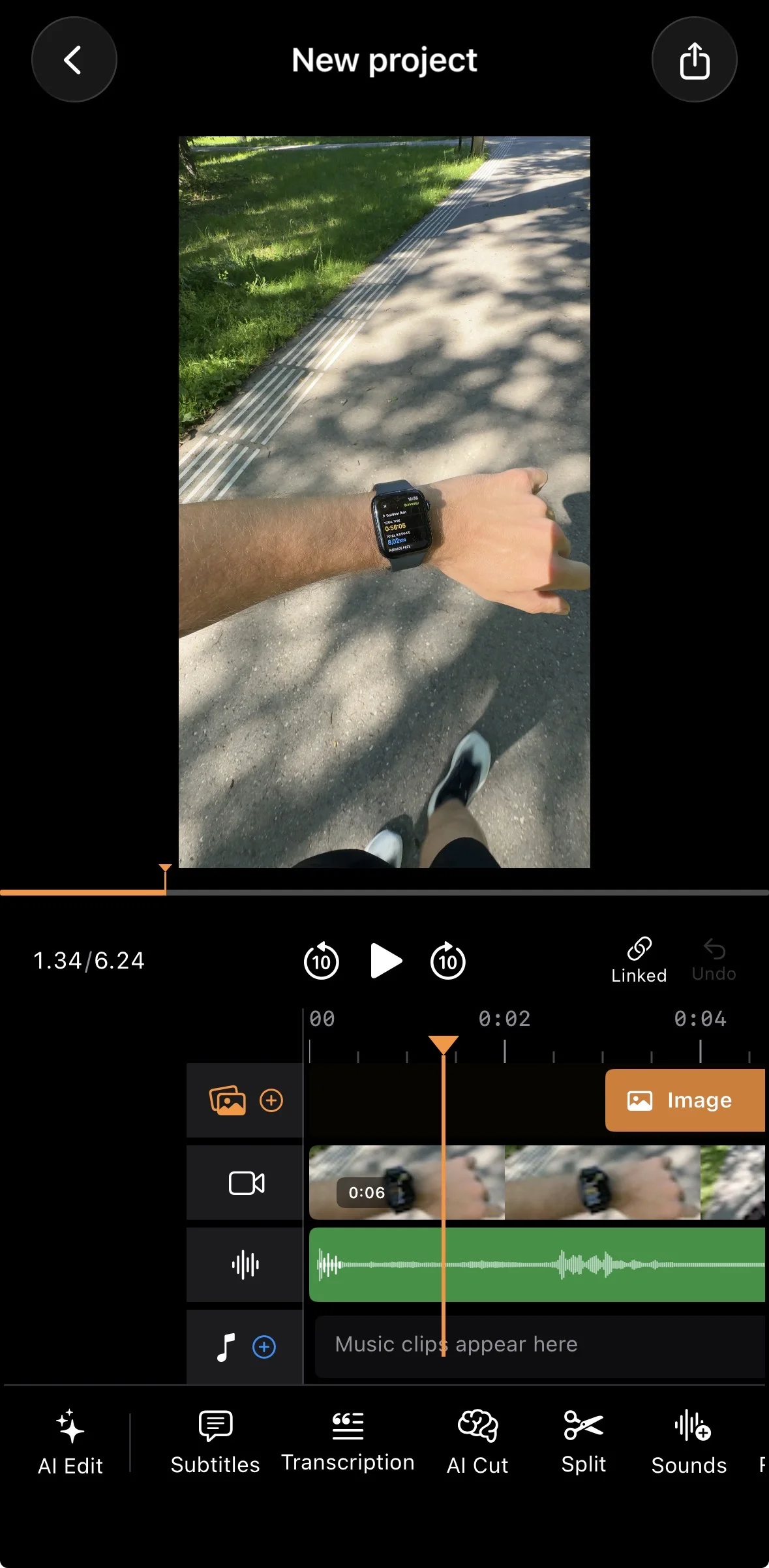
BlitzCut video editor is purpose-built for the content that dominates social media: talking-head videos. While CapCut offers broad editing capabilities, BlitzCut focuses on what talking-head creators actually need - automatic silence removal and professional subtitles.

What Makes BlitzCut Stand Out

  • Automatic silence removal cuts dead air and pauses without manual scrubbing
  • AI-powered subtitles with trendy styles that match TikTok aesthetics
  • One-tap export optimized for TikTok, Instagram Reels, and YouTube Shorts
  • Mobile-first design that's faster than CapCut for specific workflows

BlitzCut vs CapCut: Head-to-Head

FeatureBlitzCutCapCut
Auto silence removal✅ Built-in❌ Not available
Auto subtitles✅ AI-generated✅ AI-generated
Learning curveLowMedium
Best use caseTalking-head contentGeneral editing

Verdict: If you create talking-head content - tutorials, vlogs, product reviews, or educational videos - BlitzCut saves hours compared to CapCut. For complex multi-clip edits with effects, CapCut still has broader features.

Pricing

  • Free tier with watermark
  • Premium subscription removes watermark and unlocks all features

2. InShot - Best for Quick Social Media Edits

Best for: Instagram content, simple edits, beginners

InShot has been a CapCut alternative since before CapCut existed. It's straightforward, reliable, and handles basic social media editing well.

Pros

  • Very intuitive interface
  • Good selection of filters and effects
  • Music library included
  • Supports all aspect ratios

Cons

  • No automatic silence removal
  • Subtitle accuracy is inconsistent
  • Ads in free version are intrusive
  • Limited advanced features

Pricing

  • Free with ads and watermark
  • Pro: $3.99/month or $14.99/year

Best for creators who: Need simple cuts, filters, and music for Instagram content without complex editing requirements.

3. VN Video Editor - Best Free Advanced Editor

Best for: Creators wanting desktop-level features on mobile, free

VN (also called Vlog Now) offers surprisingly powerful editing tools completely free. It's the closest to a professional desktop editor you'll find on mobile.

Pros

  • Completely free with no watermark
  • Multi-track timeline
  • Keyframe animations
  • Professional-grade color correction
  • Curve-based speed adjustments

Cons

  • No auto silence removal
  • No auto subtitles
  • Steeper learning curve
  • Can be overwhelming for beginners

Pricing

  • 100% free

Best for creators who: Want advanced manual control and don't mind spending time learning the interface. Not ideal for high-volume content creation.

4. Kinemaster - Best for Professional Mobile Editing

Best for: YouTubers, professional creators, detailed edits

Kinemaster has been the professional's choice for mobile editing for years. It offers features that rival desktop software.

Pros

  • Multi-layer video and audio
  • Chroma key (green screen)
  • Professional audio mixing
  • Huge asset store
  • Precise editing controls

Cons

  • No built-in silence removal
  • Subscription required for best features
  • Interface can feel cluttered
  • Overkill for simple social media content

Pricing

  • Free with watermark
  • Premium: $4.99/month or $39.99/year

Best for creators who: Need professional-grade features and don't mind a learning curve. Great for YouTube, less ideal for quick TikTok content.

5. Adobe Premiere mobile

Adobe Premiere mobile is Adobe's current iOS video editor — free, no watermark, with a multi-track timeline, AI captions, Firefly AI tools, and AI speech enhancement.

Best for: Creators who want a full-featured free editor, or those in the Adobe ecosystem

Adobe Premiere mobile is Adobe's rebuilt iOS video editor. It handles multi-track edits, color grading, AI captions, and Firefly AI-generated assets — all free with no watermark. It's a stronger all-around editor than CapCut in some ways, though it lacks CapCut's effects library and template depth.

Pros

  • Free with no export watermark
  • AI Auto Captions with animated styles
  • AI Enhance Speech (studio-quality voice processing)
  • AI Background Removal
  • Full multi-track timeline
  • Adobe Lightroom color presets
  • Free royalty-free music library
  • Syncs with Premiere Pro via Creative Cloud

Cons

  • No automatic silence removal
  • Firefly generative AI credits are paid
  • More complex to learn than CapCut or BlitzCut
  • iOS only (no Android)

Pricing

  • No longer available for new purchase. Existing CC subscribers can still use Rush until September 2026.

Best for creators who: Were already on Adobe Creative Cloud. New users should consider Premiere on iPhone or BlitzCut AI for talking-head content.

6. VEED - Best Browser-Based Alternative

Best for: Creators who prefer editing on desktop without installing software

VEED runs entirely in your web browser, which means no app downloads and easy access from any device.

Pros

  • Works on any device with a browser
  • Automatic subtitles with good accuracy
  • Has silence removal
  • Easy collaboration features
  • No installation required

Cons

  • Requires internet connection
  • Expensive compared to mobile apps
  • Can be slow with large files
  • Not ideal for mobile-first creators

Pricing

  • Free tier with watermark
  • Basic: $18/month
  • Pro: $30/month

Best for creators who: Prefer desktop editing and want powerful features without installing software. Not the best choice for creators who film and edit on their phones.

7. Descript - Best for Podcasters and Long-Form Content

Best for: Podcast clips, interview content, text-based editing

Descript takes a unique approach: edit video by editing the transcript. Delete a word from the text, and it's removed from the video.

Pros

  • Revolutionary text-based editing
  • Excellent silence removal
  • Studio Sound enhances audio quality
  • Screen recording built-in
  • Great for repurposing podcasts

Cons

  • Desktop-only (no mobile app)
  • Learning curve for transcript editing
  • Expensive for casual creators
  • Overkill for simple social content

Pricing

  • Free tier: 1 hour of transcription/month
  • Creator: $12/month
  • Pro: $24/month

Best for creators who: Produce podcasts or interview content and want to create social media clips. The text-based editing is powerful but takes adjustment.

8. Splice - Best for Music-Driven Content

Best for: Creators who build videos around music, travel content, lifestyle vlogs

Splice is built by GoPro and has a strong focus on music-synced editing. If your content relies heavily on beat drops, transitions timed to audio, or an aesthetic that leads with sound, Splice is worth considering.

Pros

  • Large licensed music library with beat-sync tools
  • Clean, intuitive timeline
  • Good transition library
  • Works well for travel and lifestyle content
  • Reliable iOS performance

Cons

  • No automatic silence removal
  • No AI captions
  • Not designed for talking-head content
  • Weekly subscription model adds up quickly

Pricing

  • Free with watermark
  • Premium: $2.99/week or $9.99/month

Best for creators who: Build content around music and aesthetics rather than spoken word. Not the right fit for tutorial or talking-head formats.


9. Filmora - Best for Beginners Who Want More Features

Best for: Creators stepping up from basic apps who want guided tools and effects

Filmora (also called FilmoraGo on mobile) strikes a balance between beginner-friendly interface and mid-level features. It has a large template library, built-in effects, and AI tools that are easier to access than in professional editors.

Pros

  • Very beginner-friendly interface
  • AI auto captions
  • Large effects and transition library
  • Available on mobile and desktop
  • Regular feature updates

Cons

  • No automatic silence removal
  • Free version has persistent watermark
  • Some AI features require premium
  • Interface can feel cluttered

Pricing

  • Free with watermark
  • Monthly: from $4.99/month
  • Annual: $49.99/year

Best for creators who: Are outgrowing simple editors like InShot but aren't ready for professional tools. Good middle ground between ease of use and feature depth.


10. LumaFusion - Best for iPad and Pro Mobile Editing

Best for: Serious creators who edit on iPad and want desktop-level control

LumaFusion is the closest thing to Final Cut Pro or Premiere on a mobile device. It's a one-time purchase, has a proper multi-track timeline, and is the editor of choice for professional journalists, documentary makers, and high-end YouTubers who edit on iPad.

Pros

  • Professional multi-track timeline (up to 6 video + 6 audio tracks)
  • One-time purchase — no subscription
  • Magnetic timeline like Final Cut Pro
  • Advanced color grading
  • External drive support
  • Frame.io integration for collaboration

Cons

  • No automatic silence removal
  • No AI captions
  • iPad/iOS only — no Android
  • Steep learning curve for beginners
  • Overkill for short-form social content

Pricing

  • $29.99 one-time purchase

Best for creators who: Edit long-form YouTube videos or professional content on iPad and want a tool they'll use for years. Not designed for the fast turnaround TikTok workflow.


Best CapCut Alternative by Platform

Best CapCut Alternative for TikTok

BlitzCut. TikTok content is almost entirely talking-head — tutorials, opinions, reviews, storytime. The two things that matter most are silence removal (so your video is tight and fast-paced) and captions (so it plays without sound). BlitzCut does both automatically in under 2 minutes.

Best CapCut Alternative for Instagram Reels

BlitzCut or InShot. BlitzCut for talking-head Reels, InShot for aesthetic lifestyle content. Reels rewards high engagement in the first 3 seconds — silence removal helps you hit that immediately.

Best CapCut Alternative for YouTube Shorts

BlitzCut. Shorts rewards watch time. Silence removal keeps the pacing tight. AI captions keep viewers watching even with sound off. BlitzCut's 9:16 export is optimized for Shorts.

Best CapCut Alternative for YouTube Long-Form

Descript or LumaFusion. For long-form YouTube, you need either text-based editing (Descript) or a proper multi-track timeline (LumaFusion or Kinemaster). BlitzCut is optimized for short-form.

Best CapCut Alternative for Podcasters

Descript. Text-based editing makes podcast clip creation fast — edit the transcript, the video follows. Silence removal is excellent for interview content with natural pauses.


How to Choose the Right CapCut Alternative

Choose BlitzCut if you:

Choose InShot if you:

  • Need simple edits with filters and music
  • Create lifestyle or aesthetic content
  • Want an easy learning curve
  • Don't need advanced AI features

Choose VN if you:

  • Want professional features for free
  • Don't mind manual editing
  • Have time to learn advanced tools
  • Create complex multi-clip videos

Choose Kinemaster if you:

  • Need professional-grade features
  • Create content for YouTube primarily
  • Want green screen and advanced effects
  • Don't mind paying for premium features

Choose VEED or Descript if you:

  • Prefer desktop editing
  • Create podcast or interview content
  • Need collaboration features
  • Have a higher budget for tools

The Verdict: Best CapCut Alternative for Most Creators

For the majority of social media creators making talking-head content, BlitzCut video editor is the best CapCut alternative in 2026. The automatic silence removal alone saves hours of editing time that no other mobile app matches.

CapCut is a great general-purpose editor, but it wasn't designed specifically for the talking-head format that dominates TikTok, Instagram Reels, and YouTube Shorts. BlitzCut was.

If you're spending more than 10 minutes editing a simple talking video, you're working too hard. Download BlitzCut and see how fast content creation can be.

What Real Creators Say About CapCut Alternatives (Reddit)

We pulled the most upvoted takes from r/CapCut to give you a ground-level view of what creators are actually experiencing.


On why people are leaving CapCut:

"I do understand people complaining because if it was paid from the start or was free with Pro features already defined, I am sure no one would complain but to rugpull everyone after getting used to the features is scummy."

This is the most common sentiment. CapCut built a loyal user base on free features, then moved them behind a paywall. Extract audio, 1080p export, and AI tools that were once free now require a Pro subscription.


On InShot:

"I bought the lifetime license of InShot and it's better than CapCut."

InShot offers a one-time $20 lifetime license on mobile — a purchase many creators prefer over a recurring subscription. It's consistently recommended for simple edits and lifestyle content, though the lack of silence removal and inconsistent captions are common complaints.


On VN Video Editor:

"VN is amazing because even though it has no AI, they can be easily made in other apps and transferred to finish the project in VN."

The workflow: use an AI tool for captions or silence removal, export, then bring into VN for final polish. It's a workaround, but creators who want free professional editing make it work. The Pro version ($7/month) adds little enough that most people stick with free.


On Filmora:

"Filmora is almost the same visually as CapCut on desktop. If you know how to use CapCut then jumping to Filmora will be 95% the same experience."

But the counterpoint is equally common:

"Whatever you do, don't go with Filmora. 2 star rating on trust pilot and they are just all around awful."

"As of today, Filmora puts a giant watermark over your video if you dont buy premium."

Filmora is capable but aggressive with its monetization — a recurring complaint is unexpected watermarks, upsells on AI credits, and confusing pricing.


On DaVinci Resolve:

"DaVinci Resolve is excellent. It is difficult to master but again, it depends on the edits you make. Benefits of DaVinci is if you get good at it, you can actually make a career out of it."

The consensus: DaVinci is the right answer if you're willing to invest time learning it. For social media creators who need to turn around 3-5 videos a week, it's the wrong tool. For serious YouTube creators who want a career-grade skill, it's the ceiling.


On LumaFusion:

"LumaFusion is a great app as well and is feature rich... $30 is a good chunk of change so maybe watch tutorials before buying."

Reddit's verdict: LumaFusion is excellent on iPad but requires a learning investment before that $30 feels justified. Best suited for creators who already know what a multi-track timeline is.


On CapCut's ban in the US:

"I'm late to this thread but are there any that will sync between my Macbook and phone?"

"Whatever you do, if CapCut gets banned, here's what I'm switching to..."

The TikTok/CapCut ban discussions dominated r/CapCut for months. The takeaway: creators who relied entirely on CapCut had no backup plan. Diversifying your tools is now standard advice in the creator community, regardless of whether CapCut is available in your region.


The recurring gap nobody talks about:

Across hundreds of comments in threads like these, one pattern stands out: no one recommends a mobile alternative with automatic silence removal. That feature is consistently listed as a reason creators stayed on CapCut or Descript. BlitzCut is the only mobile app that solves it directly, without a desktop or browser dependency.


Frequently Asked Questions

Is CapCut still available to download?

CapCut availability varies by region and is subject to change. Regardless of availability, many creators prefer alternatives that offer features CapCut lacks, like automatic silence removal.

Which CapCut alternative is completely free?

VN Video Editor is 100% free with no watermark. BlitzCut offers a 3-day free trial (then subscription required), and InShot has a free version with ads.

Can I import my CapCut projects to another app?

Most apps don't support CapCut project files directly. You'll need to export your CapCut videos and re-edit them in your new app of choice.

What's the easiest CapCut alternative to learn?

BlitzCut and InShot are both easier to learn than CapCut. BlitzCut is especially simple for talking-head content since most of the editing is automated.

Which alternative has the best auto subtitles?

BlitzCut, VEED, and Descript all offer excellent auto-generated subtitles. BlitzCut has the advantage of being mobile-first with trendy subtitle styles designed for TikTok. Learn more in our guide on how to add auto subtitles to TikTok videos.

Does any CapCut alternative have automatic silence removal on mobile?

Yes — BlitzCut is the only mobile app with automatic silence removal built in. Every other alternative (InShot, VN, Kinemaster, Filmora, Splice) requires manual cutting. Descript and VEED have silence removal but are desktop/browser-based, not mobile apps.

Is there a CapCut alternative with a one-time payment?

Yes. InShot offers a lifetime license for around $20 on mobile. LumaFusion is a one-time $29.99 purchase for iPad. DaVinci Resolve is completely free on desktop. These are the main alternatives to subscription-based pricing.

Which CapCut alternative is best for Android?

InShot, VN, Kinemaster, and Filmora all support Android. BlitzCut is iOS and Mac only. If you're on Android and need talking-head editing, Kinemaster with manual silence removal is the closest, though it requires more time than BlitzCut.

What's the best CapCut alternative for text-to-speech?

BlitzCut has built-in TTS generation. Descript also has strong voice features including Overdub. CapCut's TTS was one of its most-used features, and BlitzCut is the best mobile replacement for it.

Is CapCut still available?

CapCut's availability varies by country and has fluctuated due to regulatory issues, particularly in the United States. Regardless of current availability, many creators use alternatives to avoid dependency on a single app that could become unavailable at any time.

Which CapCut alternative is safest from a data privacy standpoint?

CapCut and TikTok are both owned by ByteDance, which raises data concerns for some creators. BlitzCut processes video on-device (silence removal runs locally). Alternatives like LumaFusion, VN, and DaVinci Resolve are not owned by Chinese tech conglomerates. VEED and Descript are cloud-based Western companies.

Post every day without spending hours editing

Creators who post consistently grow consistently. BlitzCut gets you from raw footage to TikTok-ready in under 2 minutes — so editing is never the reason you didn't post.

Download BlitzCut Free
Tags:CapCut alternativevideo editingTikTokcomparisonapps

Related Articles