
How to Set Up a Home Studio for Content Creation Under $200 (2026)
A complete home studio setup under $200 for YouTubers, podcasters, and social creators in 2026 — gear prioritized by impact, two budget tiers, and what to skip.


A functional home studio for content creation costs under $100 to start and under $200 for a setup that looks and sounds genuinely professional. The four categories that matter: stable framing (tripod or mount), light on your face, clear audio, and a clean background. Everything else is optional. Most viral content is filmed in exactly this configuration — on a phone, with good light and audio, in a tidy space.
This guide covers two complete setups — a $90 starter kit and a $185 polished setup — with current gear picks, priority ranking, and guidance for the three most common content types: talking head video (YouTube, social), podcast or interview video, and desk/screen recording.
What Your Phone Already Does
The camera question has a clear answer in 2026: your phone.
An iPhone 13 or later, or a current-generation Android flagship, films at 4K with optical stabilization and dynamic range that outperforms most creator-budget mirrorless cameras in good light. The camera hardware is not the bottleneck.
The three bottlenecks are almost always:
- Framing — phone propped at a bad angle, too close, or handheld
- Lighting — overhead room lights creating harsh downward shadows
- Audio — built-in mic picking up reverb, distance, and background noise
A $90–200 investment solves all three. The phone stays the camera.
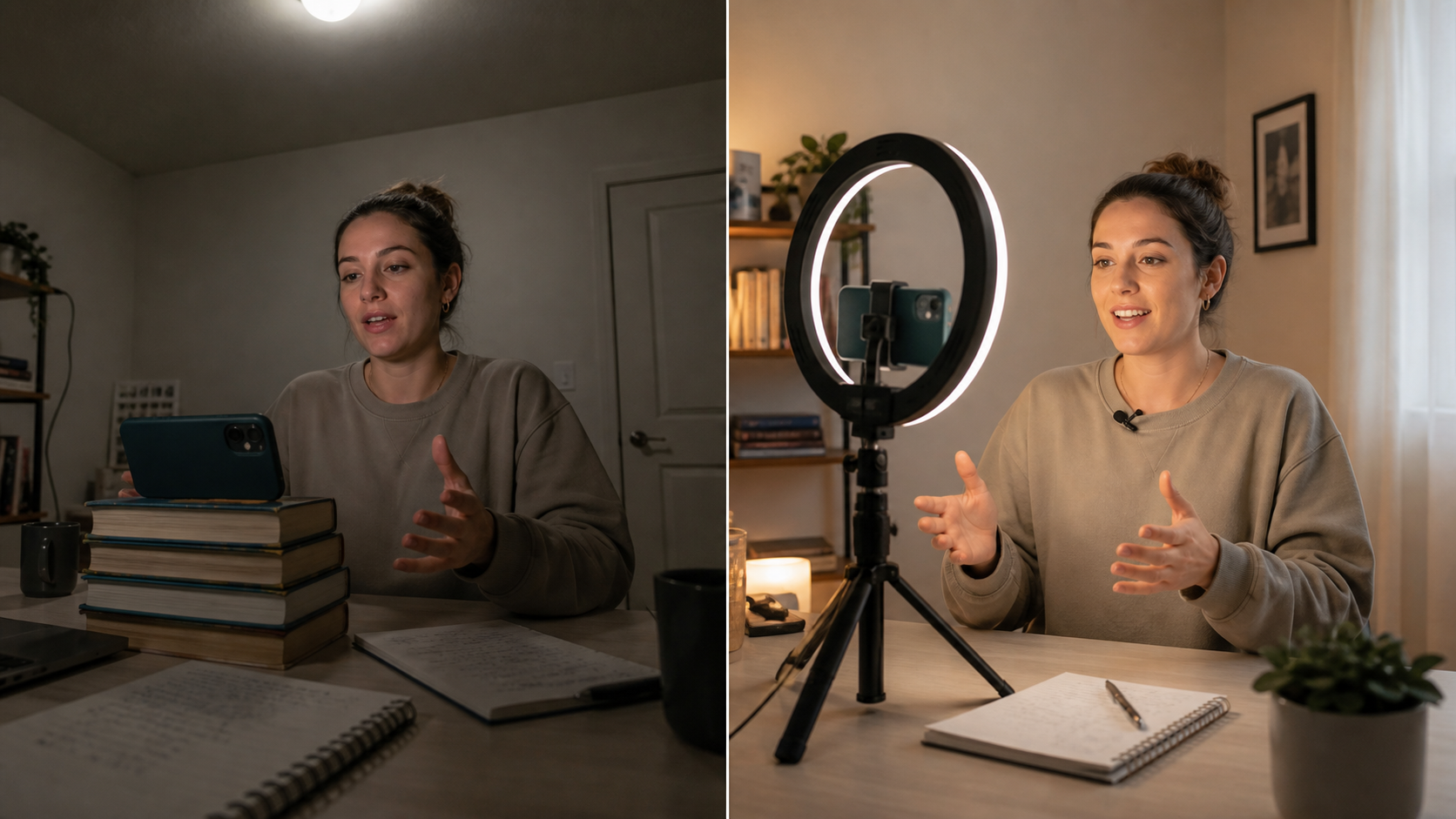
Same phone, same room. Left: overhead lighting, no mic, phone propped on a book. Right: ring light, lav mic, tripod. The gear gap costs under $100.
Buy in This Order
If you can only spend on one thing at a time, this is the priority ranking:
1. Microphone — biggest impact per dollar Bad audio causes immediate drop-off. Viewers tolerate shaky or dim video far longer than they tolerate muffled or echo-heavy audio. A $25–30 wired lav mic is the single highest-return upgrade available.
2. Tripod — baseline for any content Stable framing is table stakes. A $20–25 full-height phone tripod with a remote solves the problem permanently and costs less than most phone cases.
3. Ring light — essential if you film at night or in dark rooms If you have a window and film during daylight hours, good natural light is free. A ring light becomes necessary at night or in rooms with poor natural light. Start with a smaller desktop unit, upgrade to 18" if you film standing or at a distance.
4. Background — often free A tidy corner of your room, a bookshelf, or a wall beats a messy background at zero cost. A solid-color backdrop is $20–35 if you want the clean studio look.
Tier 1: The $90 Starter Studio
Everything you need to produce watchable, professional-feeling content.
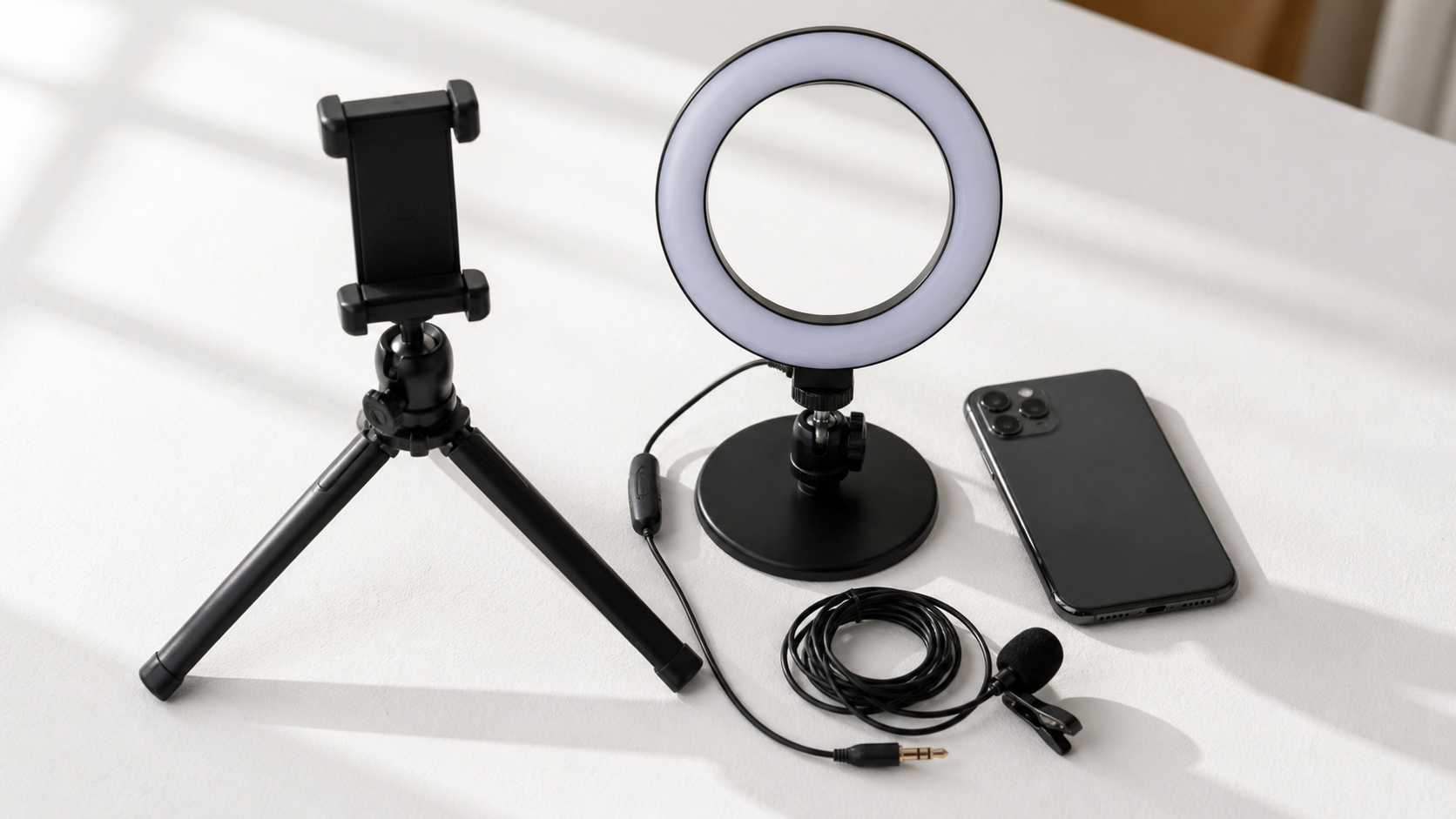
Tier 1: three pieces of gear that solve the three core production problems. Under $90 total.
Tripod: SENSYNE 62" Phone Tripod (~$22)
Full-height adjustable tripod with Bluetooth remote shutter. Eye-level framing, hands-free recording, no more propping the phone on a stack of books. The Bluetooth remote means you start recording without running back across the room.
Lighting: UBeesize 10" Ring Light (~$22)
For desk-based content where your face is within 18–24 inches of the phone, the 10-inch ring light delivers clean front-facing illumination with the characteristic circular catchlight in your eyes. Clips onto a desk or the tripod. Three color temperature settings.
Microphone: PowerDeWise Wired Lav (~$26)
Wired lavalier mic with 3.5mm plug (use a Lightning or USB-C adapter for current iPhones). Clips to your shirt. Audio quality improvement over built-in phone mic is immediately audible — less room echo, much less background noise, consistent level as you move.
Tier 1 total: ~$70–90
What this produces: stable framing, clean face lighting, clear dialogue. Everything a viewer needs to pay attention to your content rather than your production problems.
Tier 2: The $185 Polished Setup
The same categories, better gear. This is the setup that looks intentionally professional — the kind of setup viewers notice without being able to name what they're seeing.
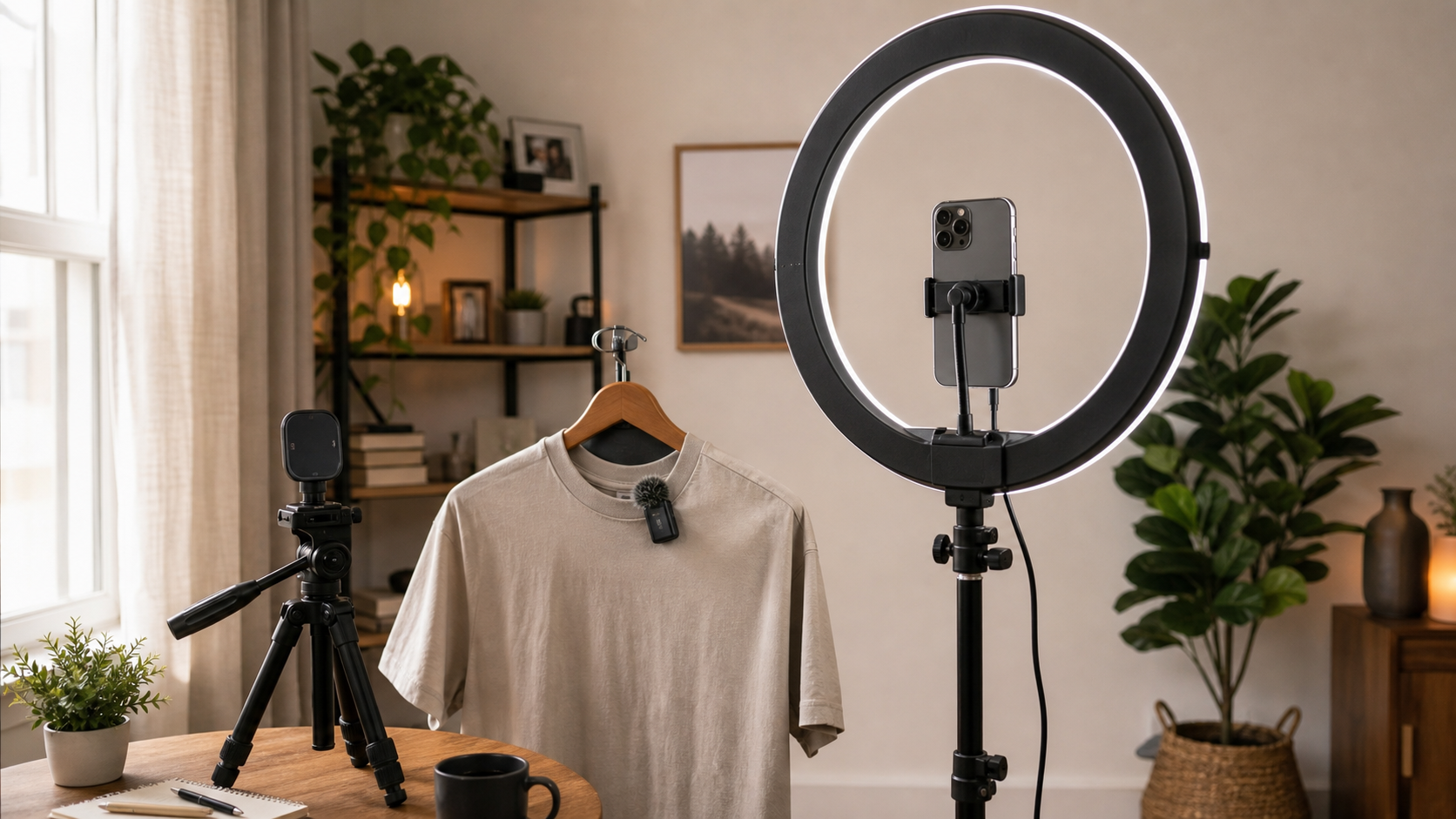
Tier 2: wireless audio, an 18-inch ring light for standing content, and a magnetic mount tripod that's faster to use daily.
Tripod: TONEOF 68" Magnetic Tripod (~$35)
Taller than the Tier 1 option (68" vs 62"), includes a MagSafe-compatible magnetic phone mount for iPhone 12 and later. Snap-on mounting is significantly faster than adjusting a clamp every time. Also converts to a selfie stick for outdoor content.
Lighting: NEEWER RL-18 18" Ring Light Kit (~$55)
The 18-inch ring light is the standard for creators who film standing or at more than arm's length from their camera. 65,000+ Amazon reviews, 4.7 stars. Even illumination at 3–5 feet distance. Comes with a 61-inch stand, phone holder in the center ring, and a carrying bag. This is the ring light you see in the background of most professional YouTube setups.
Microphone: DJI Mic Mini (~$75)
Wireless. The transmitter clips to your shirt; the receiver plugs into your iPhone (USB-C or Lightning). No pairing process, no app required. The audio quality is genuinely better than the wired lav at Tier 1 — clearer signal, lower noise floor. Built-in backup recording on the transmitter means you never lose audio if the Bluetooth connection stutters.
Freedom of movement matters more than most new creators expect. With a wired mic, every head turn reminds you of the cable. With wireless, you forget you're miked.
Tier 2 total: ~$165–185
What this produces: content that looks intentionally built. The 18-inch ring light produces the circular catchlight that signals production effort, the wireless mic means clean audio without cable management, and the magnetic mount means setup takes 45 seconds instead of 3 minutes.
Full Comparison
| Category | Tier 1 (~$90) | Tier 2 (~$185) |
|---|---|---|
| Tripod | SENSYNE 62" (~$22) | TONEOF 68" Magnetic (~$35) |
| Lighting | UBeesize 10" desk ring (~$22) | NEEWER RL-18 18" ring kit (~$55) |
| Microphone | PowerDeWise wired lav (~$26) | DJI Mic Mini wireless (~$75) |
| Best for | Desk/close-up content | Standing, full-body, versatile |
Setup by Content Type
For Talking Head Video (YouTube, TikTok, Reels)
Core setup: phone on tripod at eye level, ring light in front of you (not overhead), microphone clipped to your shirt. Film in landscape for YouTube, portrait for TikTok/Reels.
One thing most beginners miss: eye level matters. Phone angled up from a desk creates an unflattering nose-first perspective. Phone at exact eye level feels like direct conversation. If your tripod can't reach eye level standing, place it on a desk while you sit.
For Podcast or Interview Video
If you're recording a video podcast solo: the same setup as talking head, with one addition — consider a second camera angle. A second phone on a smaller tripod positioned at 45° provides a cut-away angle that makes solo podcasts feel more produced.
For two-person interviews: each person has their own lav mic feeding into the same recording device or captured separately and synced in editing.
For Desk / Screen Recording (Mac Creators, Tutorials)
For screen recording content on Mac, you need one additional piece: a webcam for the talking head overlay. The OBSBOT Meet 2 (~$99) has AI auto-framing and true 4K output — it tracks you as you move and keeps your face in frame. If desk content is your primary format, a good webcam replaces the phone-on-tripod setup.
This pushes you over the $200 target, but the webcam is only necessary for the desk-specific format.
Background: Often the Most Overlooked Element
Your background communicates before you say a word.
Clean real environment: Tidy your filming corner. A bookshelf, a plant, a blank wall. Authentic and costs nothing. Works for most content types.
Solid-color backdrop: A seamless paper or fabric backdrop ($20–35) removes all background distraction. Popular with educators and creators who film in small or cluttered spaces.
Blur/bokeh: Portrait mode on current iPhones blurs the background naturally. Works well in good light, looks artificial in low light or with complex edges.
Avoid: visible clutter, unmade beds, bright windows behind you (creates silhouette effect), or busy patterns that compete with your face for viewer attention.
Room Acoustics: The Free Upgrade
Before spending on a better microphone, fix your room.
Hard parallel walls, bare floors, and empty desks create reverb — that bathroom-echo quality that makes speech hard to follow and exhausting to listen to. No microphone cancels room acoustics. You have to address the room first.
Free fixes:
- Film in a room with carpet, curtains, and soft furnishings (all absorb sound)
- Hang a blanket behind or beside your filming position
- Close the door and any windows
- Bookshelves behind the camera break up standing waves
A treated room with a $25 mic sounds better than an untreated room with a $200 mic.
Editing the Content You Create
Gear produces footage. Editing produces content.
Once you have a working studio setup, the editing workflow determines how sustainable your posting schedule is. For talking head content on Mac or iPhone, the fastest workflow:
BlitzCut — Mac and iPhone native app, under $6/month billed annually:
- Silence removal runs automatically after import
- Filler words removed by editing the transcript text
- Animated captions generated in one tap
- Vertical 9:16 export for TikTok, Reels, Shorts
A Tier 2 studio setup + BlitzCut editing: 10 minutes of raw talking-head footage goes from camera to published in under 30 minutes total.
For longer-form content (20+ minutes, podcasts, interviews), Descript ($24–33/month) offers transcript-based editing with superior audio enhancement tools.
Frequently Asked Questions
Do I need a camera or is my phone enough?
Your phone is enough for all short-form and most long-form content in 2026. A modern iPhone or Android flagship films in 4K with optical stabilization. The camera is not the bottleneck — lighting, audio, and framing are. Spend your budget on those before any camera upgrade.
What's the most important piece of home studio gear?
A microphone. Viewers tolerate bad video longer than bad audio. A $25–30 wired lavalier mic produces a dramatically better experience than a built-in phone mic for a fraction of the cost of any camera upgrade.
How much space do I need for a home studio?
Minimal. A corner of a bedroom or office works — 6×6 feet is enough for a seated setup, 8×10 feet for standing content. The goal is a consistent background and enough space to place lighting in front of you. More space is better for acoustics but not required.
Should I get a ring light or a softbox?
Ring light for close-up solo content (the circular catchlight looks polished). Softbox or LED panel for wider shots or two-person setups (softer, more directional light). Most solo creators start with a ring light. The NEEWER 18" ring light covers both seated and standing distances.
What software should I use to edit content from my home studio?
For Mac users producing talking head content: BlitzCut (under $6/month, on-device silence removal, cloud-AI auto-captions, no video upload). For long-form or podcast editing: Descript ($24/month). For free basic editing: iMovie (Mac) or CapCut (Mac/iOS/Android). For professional-grade editing: Final Cut Pro ($300 one-time).
Related: Budget Home Studio Setup for TikTok Creators · Best Ring Light for TikTok · Best Microphone for YouTube Shorts and Reels · Best Webcam for Content Creators on Mac · How to Post Every Day Without Burning Out
Last Updated: May 22, 2026 Category: Gear & Equipment
Post every day without spending hours editing
BlitzCut is a native app for iPhone, iPad, and Mac. Get from raw footage to TikTok-ready in under 2 minutes, so editing is never the reason you didn't post.
Try it for freeRelated Articles
Keep Reading

Best Video Editing App for E-Commerce Sellers (2026)
Find the best video editing app for e-commerce sellers: compare 5 tools for talking-head UGC, founder-led ads, product demos, and Shopify videos.

Best Adobe Premiere Rush Alternatives (2026): Where to Go Before It Shuts Down
Premiere Rush support ends September 30, 2026. The best alternatives for Mac, iPhone and Android — including Adobe's own replacement — and how to migrate.

Best AI Clipping Tools, Rated by What Users Actually Say (2026)
Best AI clipping tools compared on independent user reviews, billing complaints, and pricing: Vizard, OpusClip, Klap, Quso, and BlitzReels. Plus OpusClip alternatives.