
How to Add Chapter Markers to YouTube Videos (2026 Guide)
How to add chapter markers to YouTube videos in 2026. Covers timestamp format, requirements, auto-chapters, and using your transcript to generate chapters fast.


YouTube chapter markers are created by adding timestamps to your video description in the format 0:00 Chapter Title. YouTube automatically converts a list of three or more timestamps into interactive chapters visible in the progress bar and video description. The fastest way to write accurate chapters is to generate a video transcript first, then use it to identify the exact timestamps for each section.
Chapter markers improve watch time, viewer experience, and search visibility. Viewers skip to the part they want. YouTube indexes the chapter titles as searchable content. And when a chapter title matches a search query, YouTube sometimes surfaces the specific chapter in search results — a direct benefit you cannot get any other way.
How YouTube Chapter Markers Work
YouTube chapter markers are not a technical feature you configure in YouTube Studio settings. They are created entirely through the video description.
When YouTube detects a list of timestamps in a specific format in your video description, it:
- Splits the video progress bar into visual chapters
- Displays chapter titles in the scrubber when viewers hover
- Shows an expandable chapter list below the video
- Indexes the chapter titles for search
This is simple, but there are specific requirements that must be met.
Requirements for YouTube Chapters
YouTube requires all of the following for chapters to activate:
-
First timestamp must be
0:00— If your first timestamp is0:30or1:00, chapters will not activate. The list must start at0:00. -
Minimum three chapters — A list of one or two timestamps does not trigger chapters. You need at least three.
-
Timestamps must be in ascending order —
0:00,1:30,3:15, etc. Out-of-order timestamps break the feature. -
Correct format — The format is
MM:SSfor videos under an hour, orH:MM:SSfor longer videos.0:00,1:30,45:02. Plain text following the timestamp becomes the chapter title. -
Each chapter must be at least 10 seconds long — Chapters shorter than 10 seconds are not recognized by YouTube.
-
Video must be longer than one minute — Very short videos don't support chapters.
-
Chapters must be enabled — Chapters are enabled by default, but can be disabled by the creator in video settings. Check "Allow automatic chapters" in Video Details if chapters don't appear.
Format Example
0:00 Introduction
2:15 What Are Chapter Markers
5:30 How to Write Timestamps
9:45 Adding Chapters in YouTube Studio
14:20 Auto Chapters vs Manual Chapters
18:00 Conclusion
Copy this format exactly. The timestamp is at the start of the line, followed by a space, followed by the chapter title. No brackets, no special characters.
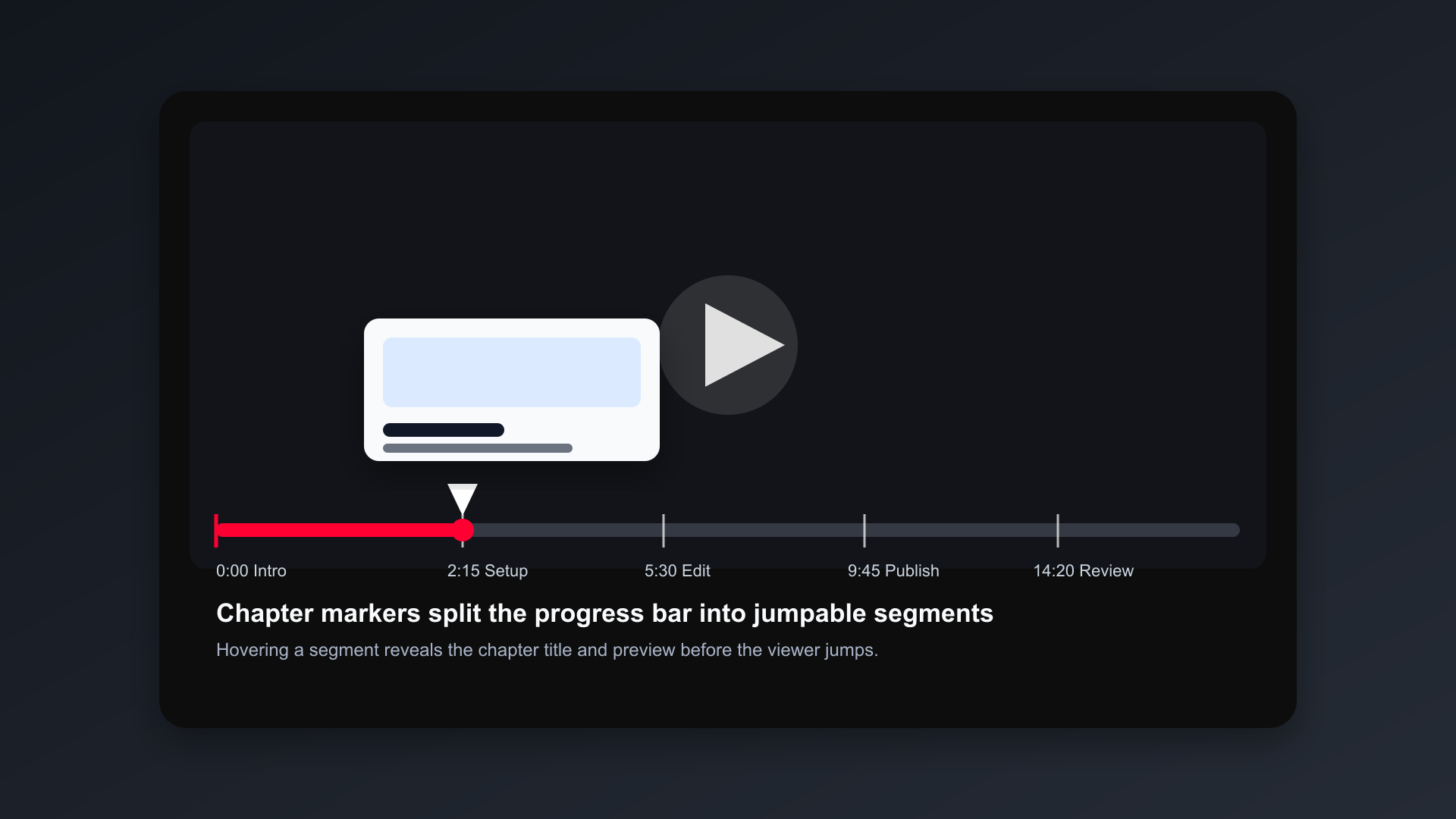
Illustrative chapter marker mockup. Viewers hover over segments to see chapter title and thumbnail preview before jumping. Chapters that match search queries can surface individually as Key Moments in Google results.
How to Add Chapter Markers in YouTube Studio (Step-by-Step)
Step 1: Open YouTube Studio
Go to studio.youtube.com and click Content in the left sidebar. Find the video you want to add chapters to.
Step 2: Click the Pencil Icon
Click the pencil (edit) icon next to the video title to open Video Details.
Step 3: Write Your Timestamps in the Description
In the Description field, add your timestamp list. You can add it at the beginning or end of your description — YouTube looks for the timestamp pattern anywhere in the description.
Start with 0:00 followed by your first chapter title.
Step 4: Save
Click Save in the top right corner. YouTube processes the timestamps, which can take a few minutes to appear in the live video.
Step 5: Verify
Open the video on YouTube (not in Studio) and check the progress bar for chapter segments.
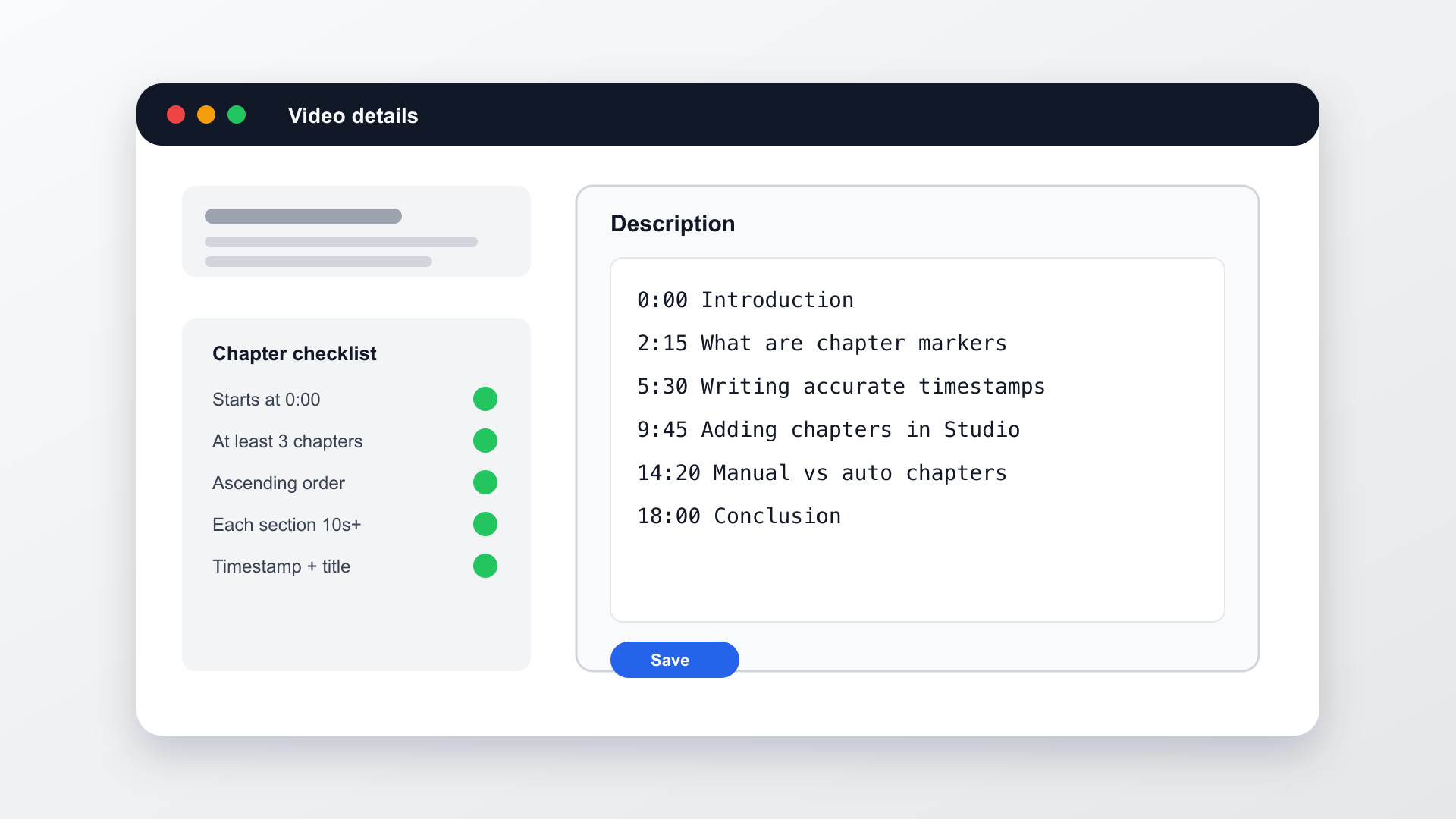
Illustrative YouTube Studio description mockup. The list starts at 0:00, uses ascending order, and each timestamp is followed by a space and chapter title — exactly what YouTube requires to activate the chapter feature.
Hover over the progress bar — you should see chapter titles appear. If chapters don't show, re-check the requirements above.
How to Write Chapter Timestamps Accurately
The hardest part of adding chapters is finding the exact timestamps. For a 30-minute video, scrubbing through to identify when each section starts takes 15–20 minutes.
There's a faster way: generate a transcript first.
Using a Transcript to Write Chapters
A video transcript shows you every word spoken with timestamps. Instead of scrubbing to find "when did I start talking about X," you can search the transcript for the specific phrase that begins each section.
With BlitzCut:
- Import your video into BlitzCut
- BlitzCut auto-transcribes the video with per-word timestamps
- Read through the transcript and identify where each topic starts
- Note the timestamp next to the first word of each new section
- Copy those timestamps into your YouTube description
With YouTube's own transcript:
- Open your video on YouTube
- Click the three dots (...) under the video
- Select Open transcript
- YouTube shows a basic transcript with timestamps
- Use these timestamps as a starting point for your chapters
YouTube's built-in transcript timestamps can be slightly off — they're generated from auto-captions and may drift. A transcript generated by BlitzCut before upload tends to be more precise because it's generated from the clean source file.
How to Write Good Chapter Titles
Chapter titles are indexed by YouTube's search algorithm. They're a small but real SEO signal. Write them the same way you'd write the title of a short article:
Include the keyword. If your video is about video editing, your chapters should say "Silence Removal," "Adding Captions," "Exporting for TikTok" — not "Step 1," "Step 2," "Step 3."
Be specific, not clever. Chapters are navigation tools first. A viewer scanning chapter titles should immediately understand what they'll learn. "Why This Matters" says nothing. "Why Chapter Markers Increase Watch Time" says something.
Keep them short. 3–6 words per chapter title is optimal. Long titles get truncated in the YouTube scrubber.
Match viewer intent. Think about the specific question someone might search that this chapter answers. Use that phrasing.
YouTube Auto-Chapters vs. Manual Chapters
YouTube offers automatic chapter generation using AI. If you enable Auto Chapters in video settings and don't add manual timestamps, YouTube will generate chapters automatically based on topic changes it detects.
When Auto-Chapters Work
- Your video has clear topic transitions and varied speech
- You have a lot of videos and don't want to manually write chapters for each one
- Your video is conversational with natural subject changes
When to Use Manual Chapters Instead
- Your video is structured and scripted — you know exactly what each section covers
- Your chapter titles are important SEO targets (manual chapters override auto-chapters)
- Your video has sections that are structurally distinct but verbally similar
- You want control over chapter timing and naming
Manual chapters always override YouTube's automatic chapters. If you add three or more timestamps to the description, YouTube uses your timestamps instead of generating its own.
For most educational, tutorial, and podcast content, manual chapters are worth the 5–10 minutes they take to write.
Chapters and YouTube Search (The SEO Value)
Chapter markers have two SEO effects worth understanding.
First, chapters are indexed content. YouTube treats chapter titles as part of the video's metadata. If someone searches for a term that appears in one of your chapter titles, that content is more likely to surface.
Second, YouTube surfaces individual chapters in search results. For some queries, YouTube shows "Key Moments" — specific chapters from videos, with a thumbnail and a direct link to that timestamp. This is called "Key Moments for Web" in Google's documentation. It means your chapter about "how to add timestamps to YouTube" might appear in search results even if your video ranks on page two for the main title.
To maximize this:
- Write chapter titles as searchable phrases, not generic labels
- Make your chapters genuinely distinct (5+ minutes each for longer videos)
- Keep the chapter content tight and focused on what the title promises
How Many Chapters Should a YouTube Video Have?
General guidelines based on video length:
| Video Length | Suggested Chapters |
|---|---|
| 5–10 minutes | 3–4 chapters |
| 10–20 minutes | 4–6 chapters |
| 20–40 minutes | 6–10 chapters |
| 40–60 minutes | 8–12 chapters |
| 60+ minutes | 10–15 chapters |
Each chapter should be at least 2–3 minutes long. Very short chapters (under 90 seconds) provide poor navigation value and can feel choppy.
Adding Chapters to Multiple Videos at Once
If you're adding chapters retroactively to a catalog of older videos, the most efficient workflow:
- Generate the transcript for each video (BlitzCut or YouTube's built-in transcript)
- Draft chapters from the transcript in a text editor
- Batch update descriptions in YouTube Studio using the Description field in Content → Edit
YouTube Studio doesn't have a bulk description update tool natively. For large catalogs (50+ videos), the YouTube Data API allows programmatic description updates, but that requires development setup.
For most creators, updating 5–10 past videos manually via YouTube Studio is the practical approach.
Frequently Asked Questions
Why aren't my YouTube chapter markers showing up?
Check the five requirements: first timestamp must be 0:00, minimum three chapters, ascending order, correct M:SS or H:MM:SS format, and "Allow automatic chapters" enabled in video settings. Also allow 5–10 minutes after saving for YouTube to process.
Can I add chapters to a YouTube video after publishing?
Yes. Edit the video description in YouTube Studio at any time. New chapters will appear within a few minutes of saving.
Do YouTube chapter markers help with SEO?
Yes, in two ways. Chapter titles are indexed content that contribute to keyword coverage. And YouTube can surface individual chapters as "Key Moments" in search results, giving your video additional entry points from searches that match chapter titles.
What happens if I have timestamps in my description but chapters don't activate?
Common causes: not starting with 0:00, fewer than three timestamps, timestamps out of order, or incorrect format (colons required — 1:30 not 1.30). Double-check each requirement.
Can I add chapters to YouTube Shorts?
No. YouTube Shorts are under 60 seconds and do not support chapter markers.
How do I remove chapter markers from a YouTube video?
Delete all timestamps from the video description. If you want auto-chapters to take over instead, delete the timestamps and ensure "Allow automatic chapters" is enabled in video settings.
Summary: Adding YouTube Chapters in 3 Steps
- Generate a transcript to find accurate timestamps (BlitzCut, or YouTube's built-in transcript)
- Write your timestamp list in the description starting with
0:00, with at least three entries in ascending order - Save and wait 5–10 minutes for YouTube to process
Chapter markers are one of the highest-leverage 10-minute investments in your YouTube publishing workflow. They improve viewer experience, increase watch time, and give your video additional search visibility — all from a few lines of text in your description.
For faster transcript generation before upload, BlitzCut auto-transcribes your video on Mac or iPhone and shows per-word timestamps that make chapter writing fast and precise.
Post every day without spending hours editing
BlitzCut is a native app for iPhone, iPad, and Mac. Get from raw footage to TikTok-ready in under 2 minutes, so editing is never the reason you didn't post.
Try it for freeRelated Articles
Keep Reading

Best Video Editing App for E-Commerce Sellers (2026)
Find the best video editing app for e-commerce sellers: compare 5 tools for talking-head UGC, founder-led ads, product demos, and Shopify videos.

Best Adobe Premiere Rush Alternatives (2026): Where to Go Before It Shuts Down
Premiere Rush support ends September 30, 2026. The best alternatives for Mac, iPhone and Android — including Adobe's own replacement — and how to migrate.

Best AI Clipping Tools, Rated by What Users Actually Say (2026)
Best AI clipping tools compared on independent user reviews, billing complaints, and pricing: Vizard, OpusClip, Klap, Quso, and BlitzReels. Plus OpusClip alternatives.